
table of content
- Introduction
- Understanding React.js
- Understanding Next.js
- Key Differences Between React.js and Next.js
- Which Should You Choose for Your Next Project: Next.Js or React?
- When to Choose React.js
- Use Cases for React.js
- When to Choose Next.js
- Use Cases for Next.js
- Cost to develop applications over ReactJs and Next.Js
- Conclusion
- FAQs


How to Build AI Agents: Real Stories, Real Results

How to Build AI Agents: A Real Guide from Someone Who’s Actually Done It
Okay, real talk. A client called me up last month and said, “I don’t understand AI agents. Everyone’s talking about them. I’ve heard the buzz. But I have no idea how to actually build one. Is it hard?”
Sound familiar?
You’re not alone. We get this question almost every single day at Codestore. And honestly? The real answer is: it’s way simpler than you think.
I’ve helped dozens of companies launch AI agents that actually work. Agents that save them hours every week, cut costs, and do stuff they thought was impossible. This guide is everything I’ve learned from that work. Plus all the mistakes I’ve watched people make (so you don’t have to make them too).
Let’s dive in.

How to Build AI Agents
What Even Is an AI Agent? (And Why You Should Care)
Let me paint a picture because this distinction matters.
A chatbot? That’s someone sitting at a desk waiting for you to ask a question. You ask, they answer. That’s it.
An AI agent is different. That’s someone who actually gets stuff done.
I had a client—finance team, drowning. They had a person spending 6 hours every single day matching invoices to purchase orders. Boring work. Repetitive. Error-prone. The kind of work that makes you want to quit.
So we built an AI agent.
Now? This agent:
That person? They went from 6 hours of soul-crushing work to 1 hour reviewing edge cases. Suddenly they have time to actually analyze spending patterns and find ways to save the company money.
That’s what an AI agent does. It doesn’t just talk back to you. It sees what needs doing, figures out the steps, makes decisions, and actually does the work.
Here’s some other stuff agents can handle:
- Break down a complex project into steps and actually execute them
- Look at data from five different sources and make a smart decision
- Reach out to your CRM, your database, your calendar, whatever—automatically
- Notice when something’s wrong and either fix it or escalate
- Get better over time by learning what actually works
And yeah, companies are moving fast on this stuff right now. The numbers show 40-60% faster task completion when you use agents instead of traditional automation. Faster, fewer mistakes, better results.
The good news? You don’t need a PhD. You don’t need five developers. You can build your first agent in 2-4 weeks.
How to Build AI Agents
Why Now? Why Should You Actually Care?
Before we get into the how, let’s talk about why.
The Problem With Regular AI (It Drives People Crazy)
You know ChatGPT, right? You ask it something, it answers. That’s useful for some stuff. But it’s passive. It just sits there waiting for your next question.
And if you’ve built traditional machine learning models? Even worse. You train it on data, it does ONE thing, and if anything changes, you’re starting over.
Here’s what normal AI can’t do:
It’s like having a really smart friend who can analyze a problem brilliantly… but can’t pick up a phone or send an email.
AI agents can do all of that
Real Examples (Where This Actually Matters)
Customer Support: We worked with an e-commerce company getting crushed. Support tickets everywhere. They had two options: hire more people or get smarter with automation.
They chose agents. Now their AI agent handles the routine stuff—tracking orders, processing returns, answering the same questions for the 500th time—and escalates the weird edge cases to humans.
Response time went from 12 hours to 10 minutes. Their support team actually has time now instead of drowning in tickets.
Sales Teams (The Boring Part): One of our clients had salespeople spending 3 hours a day just researching prospects and sending initial emails. Tedious. Low-value work. Everyone hated it.
An AI agent now does that overnight. Researches prospects, drafts personalized emails, schedules follow-ups.
The salespeople wake up to 20 qualified prospects ready to talk. They’re actually selling instead of doing research.
Data Analysis (The Stuff That Takes Forever): A manufacturing company needed to know why defect rates went up 8% last month. Normally? A data analyst spends three days digging through spreadsheets.
An AI agent grabbed data from four different systems, looked for patterns, found that a supplier changed on a specific date, and had an answer in 15 minutes.
The analyst could then drill deeper on just that one piece instead of wasting three days.
The Pattern: The companies absolutely crushing it right now? They’re not waiting for AI to be “perfect.” They’re not spending six months in development. They’re shipping agents now, using them for 60-90 days, learning what works, and iterating.
Speed beats perfection. Always.
How to Actually Build an AI Agent (Step-by-Step)
Okay, here’s where most people mess up. And I see this constantly.
Someone gets excited and thinks, “Let me build an agent that handles everything—customer service, sales, data analysis, content creation, everything.”
Spoiler alert: That doesn’t work.
I watched a team spend three months building a “super agent” that tried to do fifteen different things. It was good at exactly zero of them. They scrapped it and started over.
Here’s the framework we use at Codestore. It works because it forces you to be specific.
Step 1: Figure Out What Your Agent Actually Needs to Do
This is not overthinking. This is the difference between success and wasting six weeks.
Your agent needs three things:
One clear job. Not five. One.
- “Handle customer refund requests”
- “Handle everything our support team does”
Boundaries. What systems can it reach? What data?
- “Can access CRM and order database”
- “Can access everything”
How you’ll measure success.
- “Resolves 80% without human help, responds in under 2 minutes”
- “Works pretty well”
Here’s the thing: spend serious time here. Hours of thinking. Conversations with your team. Whiteboarding. Yes, it feels slow. But for every hour you spend planning, you’ll save five hours later.
Step 2: Pick Your Tools
You’ve got two paths here.
Path 1: No Code (Fast, Less Flexible)
If you don’t have a developer or want speed:
OpenAI’s Agent Builder — ChatGPT’s people’s choice. Super straightforward. GPT-4 is genuinely smart. Huge ecosystem of integrations. A lot of companies start here and honestly, most never need to leave.
Vertex AI Agent Builder (Google) — Solid if you’re already in Google Cloud. Good templates, integrates with your Google stuff, enterprise-grade security.
Anthropic Claude agents — Claude’s gotten really good at thinking through complex problems. If your agent needs to make nuanced decisions, Claude does it better than most.
Real Talk: No-code tools are perfect for getting something live in 2-3 weeks. The tradeoff? You hit walls eventually. But for most use cases? Fine.
Path 2: Code (More Power, Requires a Developer)
You’ve got a developer. You want full control. You’re willing to write code.
LangChain — This is what I grab first. De facto standard. Why?
- Massive community (if you get stuck, someone solved it)
- Works with every LLM out there
- Built-in memory, integrations, tool use
- Documentation is thorough
We use it on 70% of our projects because it just works.
CrewAI — Newer but smart. Built for when you need multiple agents collaborating. Like a team of specialists each handling different parts.
AutoGen (Microsoft) — Overkill for most things, but perfect if you need agents talking to each other and figuring stuff out together.
My Recommendation: First time? Use OpenAI or Vertex AI. No code, fast, learn as you go. Most companies never need to move beyond that.
Step 3: Give Your Agent Hands (Connect It to Real Systems)
Here’s what people forget: a smart agent with no ability to do things is just expensive ChatGPT.
Your agent needs to reach:
- Your data (databases, spreadsheets, knowledge bases)
- Your systems (CRM, email, calendar, payments, inventory)
- Fact-checkers (so it can verify its own work)
Customer Service Agent needs:
- CRM access (to see customer history)
- Email/messaging (to actually help)
- Your FAQ/knowledge base
- Payment system (for refunds)
Sales Agent needs:
- LinkedIn API or similar
- Your database
- Email and calendar
- Deal tracking system
Step 4: The Real Talk About Trust
Okay, this is where I get serious.
A few months back, one of our clients—big company—wanted an agent to process refunds automatically. Seemed simple enough.
We built it. But first I asked: “What if it refunds someone $10,000 instead of $100? What’s your plan?”
“That won’t happen,” they said.
Day three of production. $1,500 went out that shouldn’t have.
The agent misread the context. Smart system, wrong answer.
That’s when they got it: smart agents still need guardrails.
Here’s what we build into every agent now:
- Full logging — Every decision, every tool call. If something breaks, we trace exactly what happened.
- Human approval on important stuff — Refunds? Account changes? The agent recommends, a human clicks “yes.” No exceptions.
- Confidence thresholds — If the agent isn’t confident, it escalates instead of guessing.
- Edge case testing — What if data is incomplete? Contradictory? Weird? Plan for it.
We call this “build it smart but build it humble.” Your agent should know when it doesn’t know.
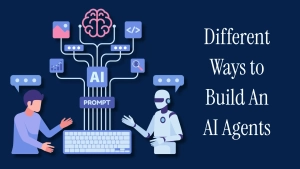
Different Ways to Build AI Agents
The “No Code” Way
Time: 1-2 weeks Cost: $500-$5K Maintenance: Low Best for: Startups, proof of concepts
The “Frameworks” Way
Time: 2-4 weeks Cost: $5K-$20K Maintenance: Medium Best for: Growing companies
The “Custom Code” Way
Time: 4-8 weeks Cost: $15K-$50K+ Maintenance: High Best for: Enterprise, complex needs
The Frameworks You Should Actually Know About
LangChain — Largest community, best docs, works with everything. Steep learning curve initially, but worth it.
CrewAI — Elegant multi-agent orchestration. Great if you need agents working together.
Vertex AI — Google’s solution. Enterprise-grade, but less flexible.
OpenAI — Simplicity is the strength. Dead simple API, good for getting started fast.
Common Mistakes (Avoid These)
Mistake #1: Skipping the planning phase People jump straight to building. Don’t. Spend a week planning. You’ll save three weeks of rework.
Mistake #2: Making your agent do too much One job. Focus on one thing. You can always build agent #2 later.
Mistake #3: Not monitoring in production. You ship it, assume it works, find out three months later it’s been making bad decisions. Monitor your agent like you’d monitor a new employee.
Mistake #4: Ignoring hallucinations LLMs make stuff up sometimes. Your agent will too. Build in verification layers.
Mistake #5: Zero human oversight. Autonomous doesn’t mean no oversight. Always have humans reviewing important decisions.
How Codestore Helps
We’ve built this process enough times to be pretty fast at it:
Week 1: Figure out exactly what you need
- Define objectives and success metrics
- Audit your data systems
- Map the ideal workflow
Week 2-3: Build and integrate
- Build or configure the agent
- Connect all systems
- Add monitoring and safety guardrails
Week 4: Test everything
- Run evaluation tests
- Fix edge cases
- Optimize performance
Week 5: Go live
- Deploy to production
- Train your team
- Set up monitoring
Most companies are live with their first agent in 4-6 weeks. ROI usually shows up immediately.
Your Next Steps Right Now
Building AI agents is no longer experimental. It’s proven. It’s practical. It works.
Here’s what to do:
If you’re ready to move faster and want expert help, Codestore helps companies ship production-ready AI agents. We handle the complexity so you focus on results.
Whether you’re figuring out how to build an AI agent from scratch or scaling from a proof of concept, we’re here.
The AI revolution isn’t coming. It’s here. The question is: Are you in?
FAQ
Ready? Let’s talk. Reach out to Codestore for a free consultation on your AI agent strategy. We’ll figure out what’s possible for your specific situation.
Because honestly? If you’re not building agents yet, you’re already behind. But the good news? It’s not too late to start.