
table of content
- Meta Muse vs ChatGPT, Gemini & Claude: AI Agent Comparison
- Meta Muse vs ChatGPT vs Gemini vs Claude: Quick Comparison
- What Is a Personal AI Agent?
- Meta Muse: Features, Pricing and Availability
- ChatGPT Agent Mode Is Now ChatGPT Work
- Gemini Spark: Google’s 24/7 Agent
- Claude: An Agent That Runs on Your Computer
- Meta Muse vs ChatGPT: A Head-to-Head
- Which AI Agent Is Best for Your Needs?
- Safety, Privacy and Control: Questions to Ask Before Giving an Agent Real Access
- When a Custom AI Agent Beats All Four
- Conclusion
- Frequently Asked Questions


Meta Muse vs ChatGPT, Gemini and Claude: Which Agent Wins?
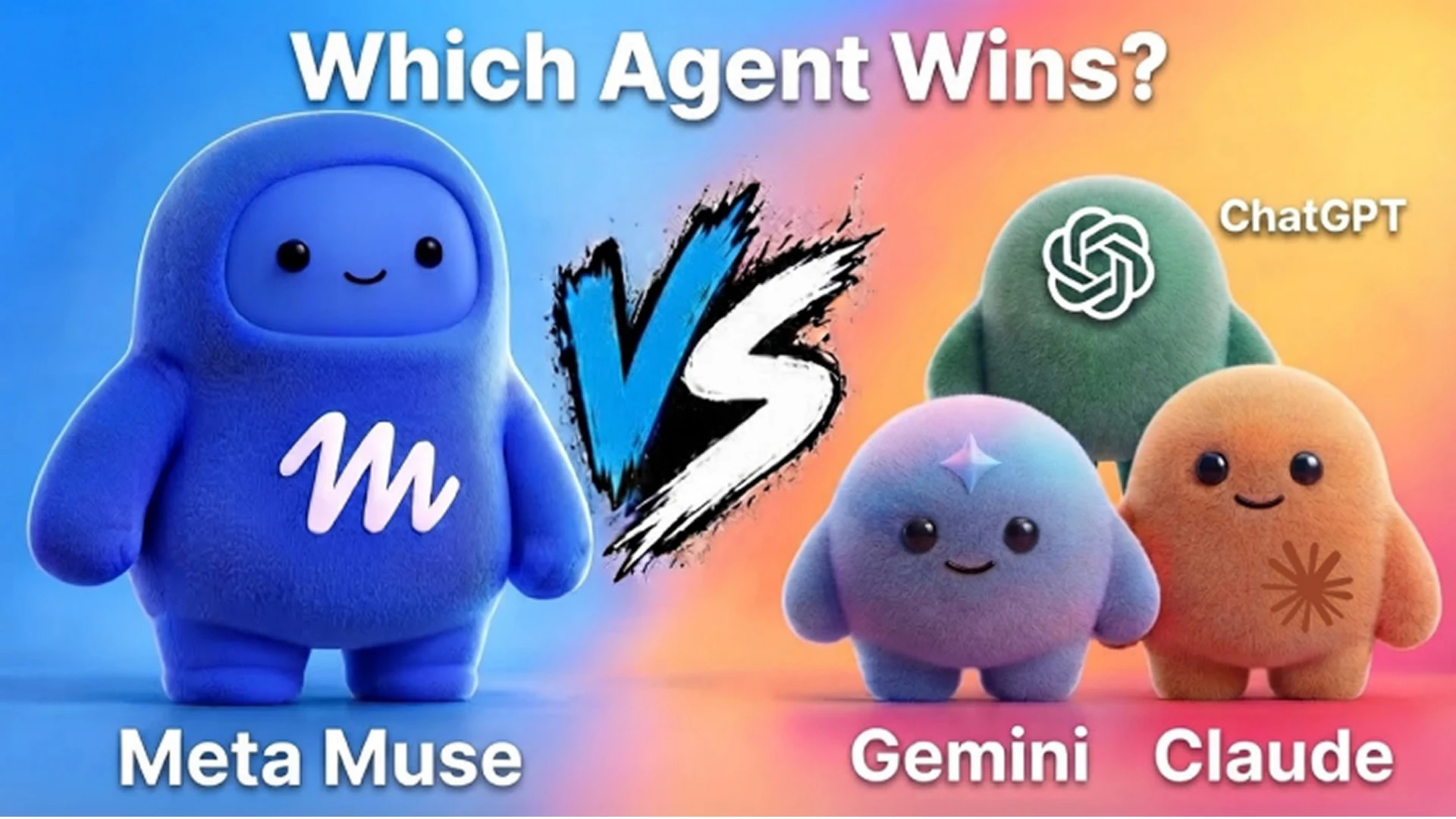
Meta Muse vs ChatGPT, Gemini & Claude: AI Agent Comparison
Meta Muse vs ChatGPT is becoming a common discussion these days. Muse launched on September 8, 2026, as a personal agent from Meta that does the work instead of simply answering your queries. ChatGPT, Gemini and Claude already had their own agents, but which one should you choose?
There is no clear winner yet, as all the agents differ in the environment they work in, their cost, and the level of trust they require. This guide will compare the four agents in terms of functionality, pricing, availability, and the degree of control. We will also discuss the questions companies should consider before giving an agent access to their systems, and when it is better to create a custom agent for the job.
For those who want some context first, see the introduction to the Meta Muse AI agent. These are the latest facts as of October 8, 2026. This space is developing rapidly, so please check the pages of each vendor before you pay for an agent.
Meta Muse vs ChatGPT vs Gemini vs Claude: Quick Comparison
Here is a comparison of the four agents at a glance, according to the respective vendors’ websites, as of October 8, 2026.
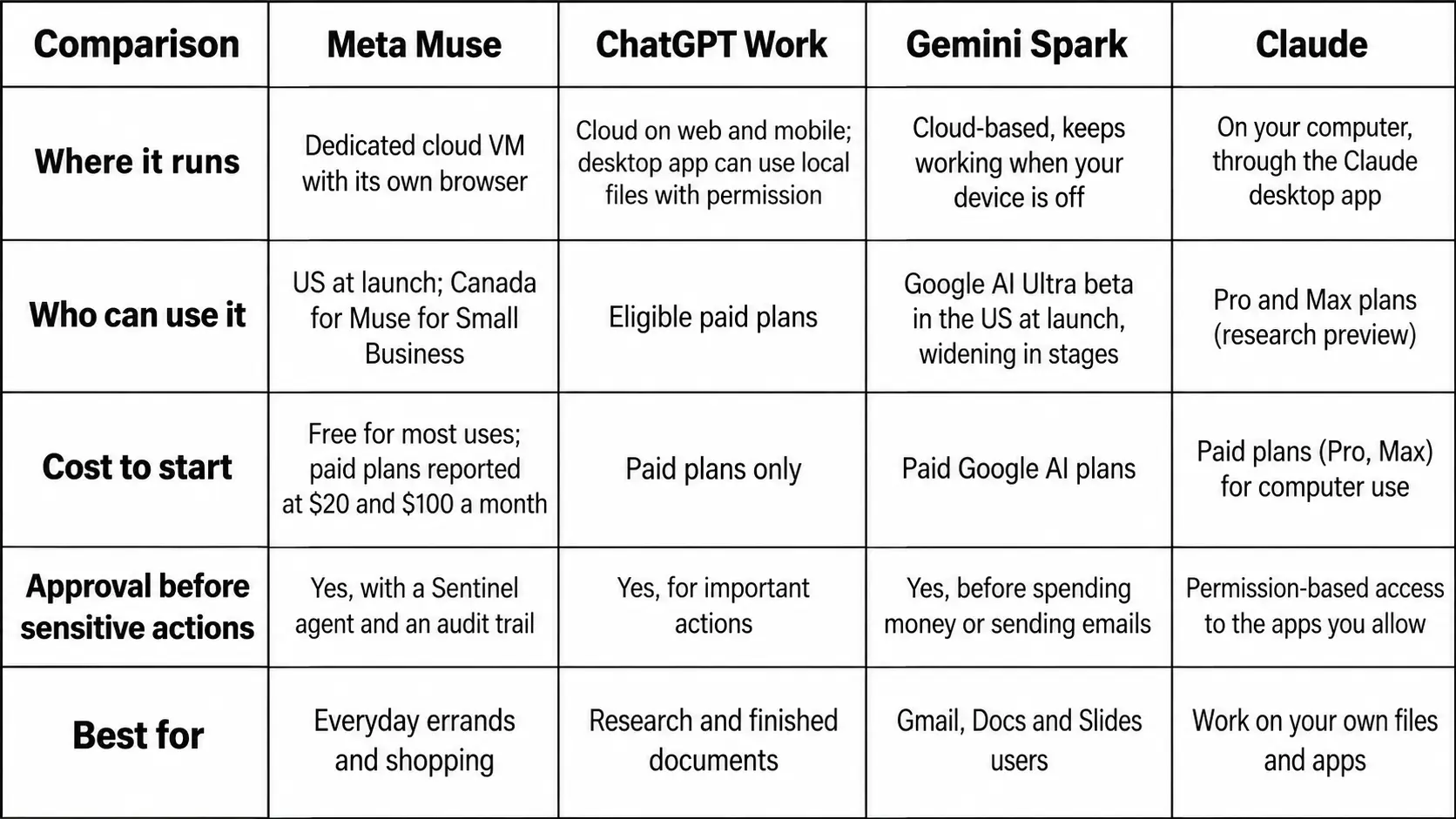
Plans, limitations and countries change rapidly. Please double-check all the facts on the vendor’s pages before paying.
What Is a Personal AI Agent?
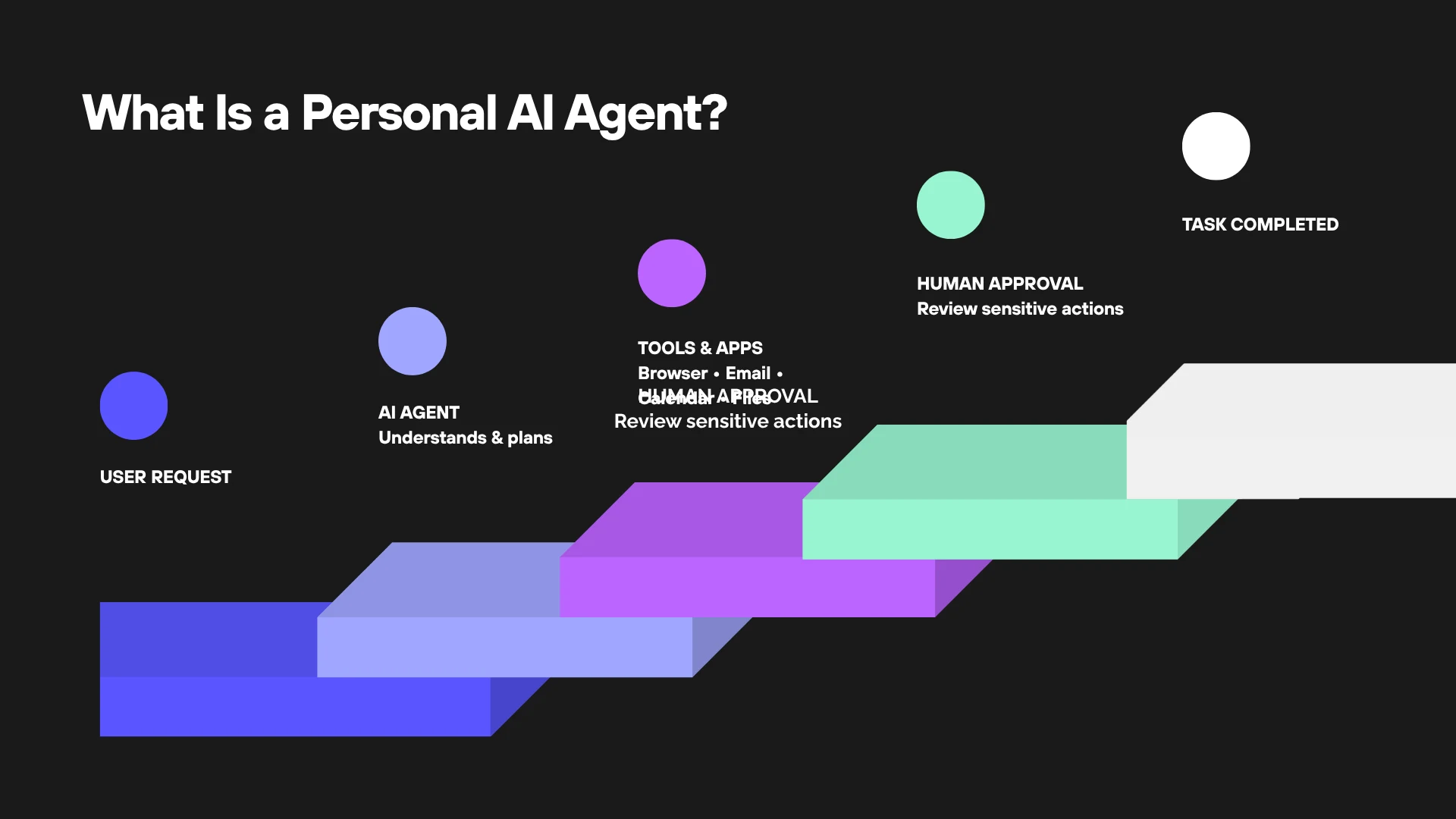
A personal AI agent performs tasks for you, whereas a chatbot gives you answers to your queries. You give the agent a goal, and it carries out all the steps, such as opening browsers and apps, filling out forms, sending emails, booking tickets, and more, even when you are not around.
There are three main differences between agents and chatbots. First, agents can act through a browser and connected apps. Second, they can perform tasks in the background and return when user intervention is required. Finally, they can request approval from the user before performing sensitive actions, such as making transactions or sending messages.
This point needs special consideration. While an agent can carry out actions, it is also capable of making mistakes. Hence, what it asks approval for is just as important as what it can perform. To get a comprehensive idea of how agents are transforming companies, read the detailed breakdown of how AI agents transform businesses in 2026.
Meta Muse: Features, Pricing and Availability
How Meta Muse Works
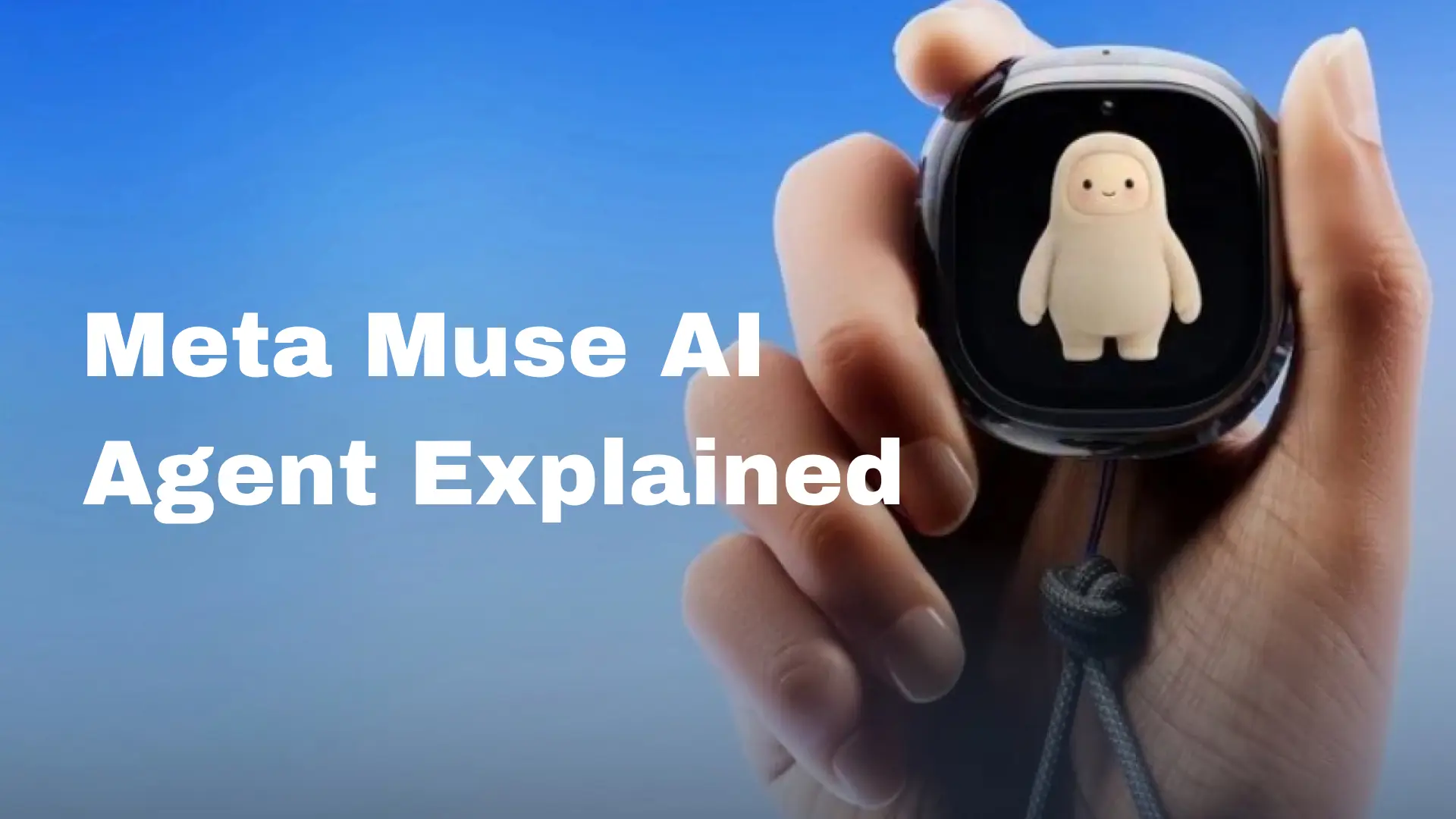
Muse is a personal AI agent from Meta. It operates on a dedicated cloud virtual machine called Muse Secure VM and has its own browser. You give it a goal through messages, and it performs the task.
According to Meta, it can send emails, book travel, fill in forms, and negotiate on your behalf, such as to lower a bill. Muse continues to work after you close the app and returns when it requires your approval, such as before sending an email or making a purchase.
Here are two main features of Muse. First, payments: Muse pays through Link by Stripe by creating a one-time-use card, so your actual card number remains protected. Meta says Muse is the first AI agent covered by Link’s purchase protections
Second, it remembers the things that matter to you and can be asked to forget them.
Is Meta Muse Free? Pricing and Availability
According to Meta, Muse is free for most uses and has paid plans for those who need more. Axios reported two paid plans priced at $20 and $100 a month. Please check Meta’s subscription page for current prices.
Availability is the bigger limitation. Meta describes a US rollout on iOS, Android, and the web, while the Muse for Small Business page mentions the US and Canada. Meta also describes chatting with Muse through WhatsApp, although its rollout page does not mention it. Therefore, please check this detail before you use it.
ChatGPT Agent Mode Is Now ChatGPT Work
What ChatGPT Work Does
If you search for ChatGPT agent mode, you will find a page where OpenAI states that the agent is no longer available. OpenAI now guides users to ChatGPT Work, an agent for complex, multi-step tasks and deliverables.
In simple terms, you can ask the agent to perform research, analyze information, or prepare a document, spreadsheet, presentation, or report.
Work can run once, run on a schedule, or start when an event occurs in a connected application, such as a new email in Gmail. You can watch the process, answer questions, and give approval for important actions.
On the web and mobile, it works in the cloud. In the desktop app, it can work with local files and applications, but only with your permission. For more information about the models, see what’s new in GPT-6 Astra.
ChatGPT Work Pricing and Availability
Work is available on eligible paid plans, and OpenAI states that Pro tiers cost $100 and $200 per month. Plus has limited usage of GPT-6 Astra in Work, with additional credits available for more usage. Work follows the same usage structure as Codex, so how far your allowance goes depends on the task.
Please be careful with older articles. Many of them mention a limit of 40 agent messages per month for Plus. This limitation belongs to the retired agent mode.
For companies, Enterprise admins can enable or disable Work and allocate it by role.
Gemini Spark: Google’s 24/7 Agent
Google presented Gemini Spark on May 19, 2026, as a 24/7 personal AI agent. It is built on Gemini 3.5 and works closely with Google Workspace apps such as Gmail, Docs, and Slides.
Being cloud-based, it continues to work after you close your laptop or lock your phone.
Google gives practical examples of how Spark can help. For instance, it can scan your monthly credit card statement for subscription fees, gather deadlines from school emails into a daily digest, and turn meeting notes into a Google Doc with a draft follow-up email.
You can choose the apps you want it to connect to, and Google says it is designed to request your approval for high-stakes actions, such as transactions or emails.
The availability of Spark was initially limited. The agent was released to trusted testers first and then as a beta for US Google AI Ultra subscribers. Further reports state that Spark became available to Google AI Pro users and in more countries. It also reached the Gemini macOS app, where it can work with local files.
Google also states that the features depend on your plan and region, so please check what is available in your account.
Claude: An Agent That Runs on Your Computer
Claude differs from the other three because it does not operate on a cloud computer. Instead, Claude operates on your own computer through the Claude desktop app.
Anthropic says that Claude can click, type, and navigate your desktop applications, using screenshots to see the screen. For browser tasks without a connector, Claude can use Claude in Chrome. Claude can also handle complex tasks and prepare finished documents, analyses, and more.
This feature of Claude also has some disadvantages. Since Claude works directly on your computer, it has access to the files and applications you give it access to. However, Anthropic’s help article is quite explicit about this: there is no isolation between Claude and your applications, your computer needs to remain turned on, and the desktop app needs to remain open.
It also warns against allowing Claude to access sensitive applications such as banking and healthcare.
Claude’s computer-use access is limited as well. At the time of writing, computer use was available as a research preview for Pro and Max plans, while Team and Enterprise plans did not have it.
Developers can build their own agents, as Anthropic states that computer use, the browser use tool, Skills API, and Files API are generally available on the Claude Platform.
Meta Muse vs ChatGPT: Head-to-Head Comparison
The most striking difference is the environment where each agent operates and who it is built for.
Muse is built for running personal errands and shopping, uses Link for checkout, and starts free. ChatGPT Work is designed for producing finished deliverables, such as documents, spreadsheets, and presentations. It also provides admin controls for company workspaces and requires a paid plan.
Therefore, Muse is more suited to personal use in the US, while ChatGPT Work is designed for people who pay for ChatGPT or work in teams.
Meta Muse vs Gemini
Both agents operate in the cloud and continue working when your device is turned off. The difference is mainly in their ecosystems.
Spark is designed to work with Google Workspace applications, while Muse for Small Business works with tools such as Shopify, QuickBooks, Slack, and Stripe.
Meta Muse vs Claude
Unlike Muse, Claude does not have its own cloud computer and operates on yours. This gives Claude the ability to access your local files and applications, but it also means less isolation.
Muse performs its operations on a separate cloud computer, creating more distance between the agent and your device.
Which AI Agent Is Best for Your Needs?
None of the agents wins every test. Therefore, you should choose the tool based on the specific task:
- Errands and shopping in the US, starting for free: Meta Muse.
- Research and finished documents, spreadsheets, and presentations, especially in teams: ChatGPT Work.
- Work inside Gmail, Docs, and Slides: Gemini Spark.
- Tasks in your own files and applications, where you control the permissions: Claude.
- Strict security rules, internal systems, or customer support: A custom agent built around your workflow.
If you try only one of the agents, choose the one that works with the applications you already use. Start with a low-risk task, such as document summarization, before giving an agent access to email and payments.
Safety, Privacy and Control: Questions to Ask Before Giving an Agent Real Access

Please ask yourself six questions before giving any agent access to your system.
Where does it operate?
Muse, Gemini Spark, and ChatGPT Work on the web operate in the cloud. Claude’s computer-use feature operates directly on your own computer.
What can it access?
Give it access only to the applications necessary for the task. OpenAI also warns about prompt injection, where a malicious website tries to trick an agent, and suggests avoiding sensitive logins.
What requires approval?
Muse, Gemini Spark, and ChatGPT ask for approval for important actions. Decide which actions should require approval from your team.
Can you see what it has done?
According to Meta, Muse provides an audit trail of what it has done and what it is going to do.
How is your data used?
According to Meta, you can opt out of training, and Muse conversations are not shared with its ad systems. OpenAI states that business data is not used for training by default on Business, Enterprise, and Edu plans.
Who is responsible if the agent makes a mistake?
Choose someone to be responsible, because the agent itself will not be accountable.
Meta plans to introduce a Muse Confidential VM later in the year, where data will be encrypted with a key that only you possess. Until this happens, think twice before giving sensitive company data to any general-purpose agent.
When a Custom AI Agent Beats All Four
These four agents are general-purpose tools. They perform well for personal tasks but might not be the best fit for company environments.
A custom agent becomes preferable when it needs to use your internal systems, has strict limitations on what it can do, needs to provide audit trails for regulators or clients, or has to follow your unique workflow.
It is also helpful when you need to provide an agent to your clients inside your own product. If this sounds familiar, agentic AI development services can help you develop an agent around your data and workflow.
One good example of the design questions such an agent raises is Sibot, an AI companion app developed at CodeStore. Users give their Sibot a name, choose personality traits, and set goals. Sibot learns from conversations, tracks progress, and provides reminders.
The conversations are encrypted, and users decide how much information they want to share. Sibot is a companion rather than an agent that performs tasks. Even so, it faces some of the same design questions as Muse and Spark: how memory works, how personal the agent should be, and who controls the data.
Mobile apps are another natural home for AI agents. If your users already spend time in your app, mobile app development with AI can help you introduce agent capabilities. If you need an agent in your mobile app, contact an experienced mobile app development company.
Conclusion
Which agent wins? It depends on the task.
Meta Muse is the easiest free option for US users, ChatGPT Work is designed for finished deliverables, Gemini Spark is a strong option for Google users, and Claude operates on your own computer.
None of them replaces your judgment, so start small, restrict access, and approve important actions.
If you need a custom agent for your company’s systems and workflow, the CodeStore team can help you develop it. Contact CodeStore to discuss your requirements.
The facts in this guide are taken from the official vendor pages as of October 8, 2026, and can change.