
table of content
- Mobile App Development with AI: A Stage-by-Stage Guide
- The Mobile App Development Process with AI at a Glance
- Stage 1: Discovery and Requirements
- Stage 2: Architecture and Tech Stack
- Stage 3: UI/UX Design and Prototyping
- Stage 4: Development
- Stage 5: Code Review and Security Checks
- Stage 6: Testing and QA
- Stage 7: Publishing to the App Store
- Stage 8: Launch and Monitoring
- Stage 9: Post-Launch Improvement
- Common Mistakes Teams Make When Using AI in the Process
- Conclusion
- Frequently Asked Questions


How AI Changes the Mobile App Development Process Stage by Stage
Mobile App Development with AI: A Stage-by-Stage Guide
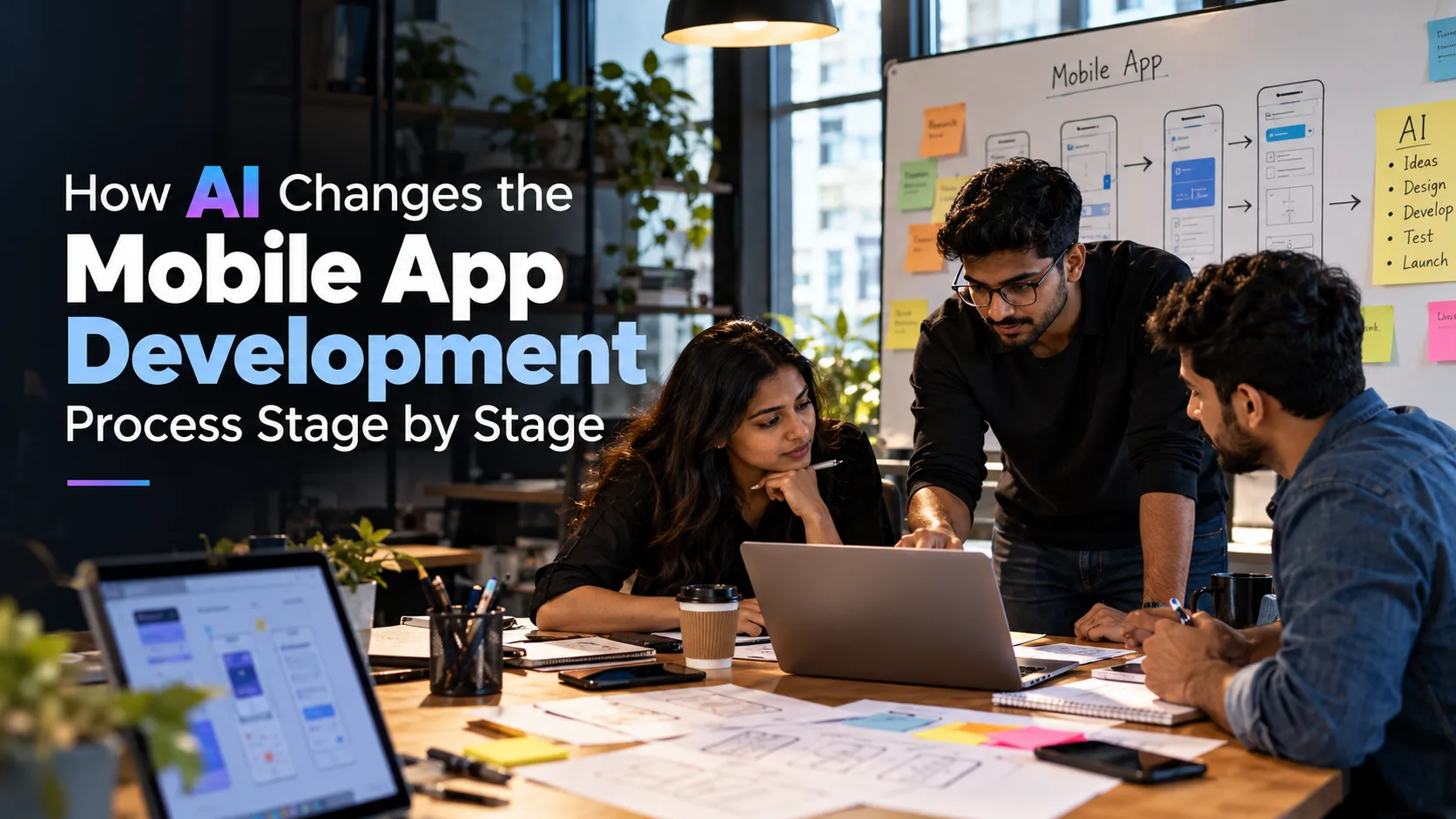
The mobile app development process with AI follows the same path as before: discovery, design, build, test, release and improve. What changes is the time each stage takes and where a person still has to make the call. AI can write requirements, first-pass screens, boilerplate code and test cases in minutes. However, it does not tell you what the app should do, whether an architecture will hold up, or whether a payment flow is safe.
This guide takes you through the nine stages of the mobile app development lifecycle, explaining what AI speeds up, what the team still needs to decide, and what comes out of each stage. Some teams break the work into five or six stages, while others use ten, but the work underneath is largely the same. A mobile app development company that uses AI well treats it as a quick first draft that experienced people then review.
This post focuses on AI in the development process. Adding AI features to the app itself is a separate subject, covered in Stage 4. All examples follow one running case: a clinic appointment booking app with payments, reminders and offline access to appointment details.
The Mobile App Development Process with AI at a Glance
The table below shows where AI helps at each stage and where people still make decisions. To see how long each stage usually takes, read this breakdown of the mobile app development timeline.
| Stage | Where AI Helps and Where People Decide |
| 1. Discovery and Requirements | AI organizes feedback into themes and drafts the requirements document. Stakeholders define priorities. |
| 2. Architecture and Tech Stack | AI evaluates options and drafts decision records. Engineers make the final decision. |
| 3. UI/UX Design and Prototyping | AI drafts flows and UX copy. Designers check usability and platform rules. |
| 4. Development | AI writes boilerplate and test scaffolding. Developers own the business logic and review every change. |
| 5. Code Review and Security Checks | AI assists with code review. Scanners, threat modeling and security reviewers provide additional assurance. |
| 6. Testing and QA | AI generates test cases. QA engineers validate and execute them, then record the results. |
| 7. App Store Release | AI drafts checklists and policy text. The team verifies them against actual data use and current store rules. |
| 8. Launch and Monitoring | AI groups crashes and detects anomalies. The team decides on rollout and rollback. |
| 9. Post-Launch Improvement | AI organizes feedback into a ranked backlog. The product owner decides what ships next. |
Stage 1: Discovery and Requirements
Most app projects either become clear or become expensive during discovery. Requirements come from stakeholder calls, app store reviews, support tickets and competitor apps, and the information is rarely organized.
Here, AI is useful because it can read and sort information quickly. Given forty app store reviews or a set of interview notes, it can group them into themes, flag contradictions and draft user stories with acceptance criteria. A simple prompt like this works: “Categorize these 40 reviews into themes, count how many times each theme occurs, and list the three requests that conflict with one another.”
The clinic booking app is our running example. Reviews of similar apps might mention missed reminders, double-booked slots and slow payment screens. AI could return these as themes with draft user stories. The team then samples the raw reviews against each theme and checks whether any story introduces a requirement that nobody actually mentioned.
What People Still Decide
AI does not know which theme matters most to the business. Stakeholders define priorities, budget limits and compliance requirements. Additionally, an AI summary can miss a less obvious but crucial requirement, such as an approval step a regulator expects.
The output is a product requirements document and a set of user stories that someone has reviewed line by line. For a more in-depth look at turning ideas into a feature list, see how AI helps define mobile app features.
Stage 2: Architecture and Tech Stack
This stage is short but important because architecture choices can be expensive to change. The team decides between native and cross-platform development, selects the backend approach and database, defines authentication, and determines how the app communicates with other systems.
AI helps by putting the options side by side. For the booking app, a prompt like “Compare native iOS and Android, Flutter and React Native for an appointment booking app that needs offline access to appointment details, push reminders and video calls, and put the trade-offs in a table” provides a useful first comparison. AI can also create a decision record explaining why a particular stack was chosen, saving time when someone asks about the decision months later.
However, the recommendation is only a starting point. AI answers based on general patterns and does not know the actual project requirements: how many users to expect, how reliable the clinic’s network is, what the team already knows or what the budget allows. Every suggestion must be tested against those requirements. Four trade-offs typically determine the outcome:
- Data consistency and offline synchronization: If patients can view appointments offline, the app keeps a local copy and syncs it later. Two people may then try to book the same slot. The server remains the source of truth, and the app must handle a rejected booking clearly. Offline editing adds conflict-handling logic and should only be built if users genuinely need it.
- API failure handling: Payment and calendar API calls can time out, leaving the app unsure whether a request succeeded. Where supported, payment retries should use the payment provider’s idempotency mechanism to avoid processing the same operation twice. The app must also handle failed or delayed responses clearly, verify payment status before retrying when appropriate, and avoid marking a booking as confirmed until the payment and booking status are reconciled.
- Ability to scale: Booking traffic can arrive in spikes at predictable times. A load test on the planned setup is more reliable than an AI estimate.
- Maintainability: A framework the team cannot support, or a stack with too many moving parts, costs more over the years than a simpler choice that fits the team.
Integrations deserve special attention because each one is a potential point of failure. Planning third-party API integrations early helps avoid rework. At the same time, complexity must remain proportional: queues, microservices and custom synchronization layers need a clear requirement behind them, not just an AI suggestion.
To validate the choice, the team builds a small prototype of the riskiest component, such as booking a slot with a dropped connection. It tests the prototype on real devices, runs a load test against expected peak traffic and asks a senior engineer to approve the decision record.
The deliverables are an architecture document, an API contract and a list of known risks.
Stage 3: UI/UX Design and Prototyping
Design is where AI can feel fastest. From a short brief, it can sketch an onboarding flow, suggest three layouts for one screen, write button labels and error messages, and generate an accessibility checklist. This speed allows designers to explore more options before committing to one.
However, judgment remains the limit. A generated screen can follow common patterns and look polished while still being wrong for the product. It might ignore platform conventions in Apple’s Human Interface Guidelines or Material Design, hide a primary action, or fail contrast and touch-target checks. Designers determine whether a screen should exist at all. Real users should also test the prototype before development begins.
A useful prompt is: “Draft three onboarding flows for a clinic booking app: one starting with symptoms, one starting with choosing a doctor, and one starting with location. List the drop-off risk in each.” The designer then tests the two strongest options.
The deliverables include wireframes, a clickable prototype, a component library and developer handoff notes.
Stage 4: Development
The most visible use of AI is in development. Coding assistants such as GitHub Copilot, Cursor and Claude Code can generate boilerplate, create API models and UI components, explain unfamiliar code, and write first-pass unit tests. This is where AI code generation for mobile apps saves time on repetitive work, allowing developers to spend more of their day on product-specific logic.
Where AI Fits and Where It Does Not
Suitability depends on risk. Boilerplate, data models, documentation and test scaffolds are generally lower-risk because the output is easier to review and the build and test pipeline can check it quickly.
Authentication, payments, encryption and token storage are different. They depend on threat models, backend contracts and device behavior that an assistant cannot fully see. Therefore, generated code in these areas needs senior review before it moves forward.
In the booking app, AI could write the appointment data models, the API client and a retry wrapper, along with unit tests for each. The team verifies the code against the API contract from Stage 2 by running the build, linter and tests and reviewing the changes. Developers still have to decide what happens when a slot is already taken, how to handle a half-finished booking and which errors the patient sees.
Two habits make AI-assisted mobile app development work better. First, use project-level instructions that describe folder structure, naming, state management and logging rules so the generated code matches the codebase. Second, treat every generated block like a pull request from a junior colleague: read it, run it and test it.
If you want to put AI features inside the app itself, that is covered separately in how to add AI features to an existing application.
Stage 5: Code Review and Security Checks
Generated code might look correct and still contain weaknesses. Common problems include duplicated logic, inconsistent patterns, outdated API calls and insecure defaults, such as tokens stored in plain text. This stage helps catch these issues before testing moves forward.
AI-assisted code review is one part of a larger security process, not a replacement for it. As an additional reviewer, AI can look for risky patterns in a pull request, flag deprecated APIs, explain what a change affects and suggest fixes. However, it can also miss logic flaws, raise false alarms and suggest fixes that introduce new problems. Nothing it flags, or fails to flag, proves that the code is secure.
Agentic AI can be useful for contained review tasks, provided the team restricts what the agent can modify and which commands it can execute. This is where agentic AI can fit into a controlled development workflow.
Real assurance comes from several checks with different purposes:
- Static analysis: Scans source code for known insecure patterns, such as hardcoded secrets.
- Third-party dependency vulnerability scanning: Checks third-party libraries against databases of known vulnerabilities.
- Threat modeling: A structured discussion, carried out early by people, about what could go wrong and who might attack. For the booking app, it asks what an attacker could do with a stolen session token or a patient’s appointment history.
- Manual security review: Includes testing the running app and checking what automated tools cannot fully judge, such as whether an authorization rule actually prevents one patient from opening another patient’s records.
Some areas need human review every time. Authentication should rely on proven platform or identity-provider libraries rather than custom code. Payments should go through the payment provider’s SDK so the app avoids handling raw card data. Personal and health data should only be collected when needed and protected both in transit and at rest, taking into account applicable privacy rules such as HIPAA or GDPR, depending on where patients are located.
Credentials and tokens should be stored securely using appropriate platform storage and a secrets manager. They should never appear in source code, logs or AI prompts.
The team also agrees in writing on what can be shared with an AI tool. Customer records, access tokens, private keys and internal API information must not be shared with unapproved tools.
The deliverables are a reviewed codebase, a list of findings and their status, and a short security checklist.
Stage 6: Testing and QA
Mobile apps need to work across devices, OS versions, screen sizes, networks and permission settings. Because of this variety, nobody can list every scenario manually. AI for mobile app testing can expand coverage by generating test cases, test data and automation scripts from a requirement or user story.
Testing the Clinic Booking and Payment Flow
Give AI the checkout user story for the booking flow and ask it to create functional, negative and edge-case scenarios. Some useful examples include a slot expiring while the patient is paying, a payment request timing out after the provider may have processed the charge, a network drop during payment, another patient booking the same slot first, and a refund after cancellation.
QA engineers should retain the scenarios that match real business rules, remove irrelevant ones and convert the valid cases into test scripts using tools such as Appium or Maestro.
A generated scenario is only a candidate test. It needs an expected result based on the actual requirements. For example, a failed booking should not leave a slot incorrectly reserved. The team must then run the test and record the outcome. A list of 40 AI-generated cases means little until those cases have been executed and their results checked.
Third-party behavior requires special attention. Payment providers and calendar or video services may send delayed confirmations, duplicate notifications or unexpected errors. The team should validate these scenarios against the provider’s sandbox and documentation. Tests also need to be reviewed to make sure they check meaningful outcomes. Otherwise, tests generated from a user story can inherit its gaps and miss real-world usage patterns.
Testing on real devices remains important for hardware-dependent behavior. Cameras, GPS, Bluetooth, push notifications, biometrics and battery usage may not behave the same on physical devices as they do in emulators. Dedicated software testing and QA work typically combines automated tests with manual checks on real devices.
The deliverables are a test plan, execution records showing which scenarios were run and their outcomes, a regression test suite and a defect report.
Stage 7: Publishing to the App Store
This is one stage where AI does not control the clock, because Apple and Google have their own review processes. AI can help with drafting and cross-checking, reducing avoidable rejections. It can check whether required metadata fields are filled, flag in-app purchase flows that may conflict with store rules, draft a privacy policy and create release notes. However, these outputs are drafts. Generating a privacy policy or compliance checklist does not automatically make an app compliant.
Common reasons for rejection include incomplete metadata, an unclear or missing privacy policy, crashes during review and payment flows that violate platform rules. Every draft must be checked against the actual behavior of the app.
The privacy policy, the App Store privacy label and the Google Play Data safety answers must match the data the app actually collects, including data collected by third-party SDKs for analytics, crash reporting or payments. A practical check is to list every SDK and permission in the build and compare that list with the policy and store forms.
Store rules can also change. Instead of relying on an AI summary, the team should read the current official documents directly, starting with Apple’s App Store Review Guidelines and Google Play’s developer policies. Legal or compliance teams should review the final policy, particularly if the app handles health or payment data.
The deliverables are a store listing, screenshots, a reviewed privacy policy, the privacy label and Data safety answers required by each store, and a build uploaded for review.
Stage 8: Launch and Monitoring
A launch marks the beginning of real-world data, not the end of the project. Both stores support gradual releases for updates: phased releases on the App Store and staged rollouts on Google Play. These approaches can limit the impact if something breaks under real traffic. Neither option applies to a first release, so a first launch benefits from a closed beta, such as TestFlight or a Google Play testing track, before the public release.
AI helps most with managing the noise. Crash reporting tools such as Firebase Crashlytics and Sentry group similar crashes and show how many users are affected by each one. AI can help summarize this information and suggest where to investigate. For the booking app, useful signals include booking completion rate, payment failures and crash-free sessions. The team checks any AI summary against the raw logs before acting on it.
Automation adds another layer. CI/CD pipelines and deployment automation can make releases more consistent, while monitoring and rollback procedures help teams respond to failures. The benefits depend on the implementation and the application’s requirements. For an example, see this health insurance operations case study.
The team still decides when to expand the rollout, when to pause and when to roll back. AI can make recommendations, but a person owns that decision. The thresholds that trigger a pause or rollback should be set before launch.
The deliverables are a rollout plan, monitoring dashboards, alert rules and a rollback procedure.
Stage 9: Post-Launch Improvement
After launch, signals come from everywhere: app store reviews, support tickets, analytics events, crash reports and feature requests. When read separately, they can appear to be unrelated problems. For example, a failed payment can result in a one-star review, a refund ticket, a drop in checkout completion and a crash report from the payment screen. AI can connect those signals into a priority: payment reliability.
That is a major change AI brings to this stage. Product teams can get a ranked list of issues from each week’s data instead of waiting for a sprint review. Release notes can also be drafted from code changes.
The ranking is only a starting point. The team cross-checks it against a sample of raw reviews and tickets and treats patterns as leads to investigate. For example, a drop in bookings after a release does not, by itself, prove that the release caused it.
A published EdTech case study describes an AI system designed to act on its findings rather than only report them. It shows how AI-assisted workflows can be applied in an education setting, although results from one project should not be assumed to apply to another.
What the Product Owner Still Decides
AI classifies problems by volume, not by strategy. A complaint from the biggest customer may be rare but more important than fifty smaller complaints, and only the product owner knows that context.
Each update should also revisit the earlier stages in a lighter form: review, test, release and monitor. To understand the difference between AI in the build process and AI inside the product, read this overview of AI in mobile app development.
Common Mistakes Teams Make When Using AI in the Process
- Shipping code without review: AI can write code confidently and still be wrong. Without a reviewer, small defects can add up to technical debt.
- Putting confidential data into prompts: Customer data, keys and internal API details should only be shared with tools approved by the organization.
- Using one tool for everything: A coding assistant cannot plan requirements, and a design generator cannot judge a backend. Match the tool to the task.
- Skipping real-device testing: Emulators may not reveal all battery, sensor and network behavior.
- Leaving AI output without an owner: Every AI-generated artifact should have a named person who is accountable for it.
- Counting tools instead of results: Measure cycle time, defects found after release, crash-free sessions and rework caused by AI-generated code.
The 2025 DORA report discusses the relationship between AI adoption and the development practices a team already has in place. The practical lesson is to establish clear review, testing, security and ownership processes before relying on AI-generated output. AI tools work best when teams can evaluate their output and address problems before release.
Conclusion
AI is transforming mobile app development by helping teams plan faster, explore more design options, automate repetitive coding tasks and identify potential problems sooner. However, speed alone does not make a successful app. Clear requirements, thoughtful architecture, security checks and real-world testing remain essential at every stage.
The real value of AI lies in understanding where to use it and where human judgment matters most. By combining AI-assisted workflows with experienced developers and proper quality checks, teams can make better-informed decisions throughout the development lifecycle.
If you’re planning your next mobile app, CodeStore Technologies can help you explore the right approach for your project, from initial planning to development and launch.