
table of content
- How AI Helps Prioritize Mobile App Features
- What Is a Mobile App MVP?
- What Is a Full-Scale Mobile App?
- MVP vs Full-Scale Mobile App: The Real Differences
- When to Create an MVP vs. When to Go Full-Scale
- Feature Prioritization Determines Success
- How AI Helps You Prioritize Mobile App Features
- Where AI Gets It Wrong
- When Should You Include AI in Your MVP?
- What Affects Cost and Timeline
- Typical Errors When Defining an MVP
- Conclusion
- Frequently Asked Questions


MVP vs Full-Scale Mobile App: How to Prioritize Features with AI
How AI Helps Prioritize Mobile App Features
There is a reason nearly every app idea starts the same way. Someone makes a long list of features, estimates a budget, and becomes convinced that they must spend all of that money on day one to launch the app. These days, that list takes only a few hours to make, because AI can brainstorm features, sketch screens, and outline a prioritization plan before lunch. Making the plan has never been easier. However, deciding what to build first is much harder.
The MVP vs full-scale mobile app decision is more about how much you know than about how much you can spend. A good mobile app development company will begin there. This guide covers how the two approaches differ, how to choose between them, and how to use AI to plan version one of your app without handing over your judgment.
What Is a Mobile App MVP?
A mobile app MVP is the smallest version of your app that lets users complete its core task and helps you answer the question, “Was that worth their time?” It is a real, working mobile app, just a slim version of it.
Core flow
This means the app helps users solve one main problem from start to finish, without interruption. Along with the core flow, an MVP usually includes:
- Simple sign-up or login
- Basic analytics to show where users drop off
- An in-app feedback option
- Only the integrations that the core flow cannot work without
Some features are left out completely, especially those that exist only because a competitor has them. These include social features, in-app chat, multiple languages, an advanced admin panel, and similar extras.
AI changes the front end of this process. Design tools can now turn a rough idea into a clickable prototype far faster than before, although the time depends on the tool and the app. Before development starts, you can show this prototype to potential users. Their feedback can help you understand what works, what doesn’t, and which screens they are likely to ignore. As a result, you can build an MVP that is smaller and better aimed.
Narrow does not mean careless. Even the smallest first release needs a lightweight architecture and reliable core features that can grow with the product. It is easy to neglect this while rushing to launch, but doing so leads to users losing trust in the app and to poor reviews. In the long run, this costs far more.
What Is a Full-Scale Mobile App?
A full-scale mobile app is a more complete product with a broader, validated feature set and a backend designed to handle expected user demand and growth. You build it when you have enough evidence to understand what users need.
This is where AI features start to make sense. Personalization, recommendations and predictions often work better with relevant user data, which a new app may not have enough of at launch. A full-scale app is not better than an MVP; it is simply a larger bet. A larger bet requires supporting evidence, such as proven user demand, an existing user base, or requirements that leave no room for a thin launch.
MVP vs Full-Scale Mobile App: The Real Differences
| MVP | Full-scale app |
| Goal: Test whether the idea works | Goal: Deliver the complete, scalable product |
| Scope: One core flow, a handful of features | Scope: Full feature set, multiple user roles |
| What you know going in: Assumptions to be tested | What you know going in: Evidence from users or the market |
| Backend: Simple, built to be extended | Backend: Built for scale, load and heavy integrations |
| AI in planning: Feedback clustering, feature scoring, prototype generation | AI in planning: Usage-data analysis, roadmap forecasting |
| AI inside the product: One focused capability, if any | AI inside the product: Broader features supported by user data |
| Main risk: Building the wrong thing, cheaply | Main risk: Building the wrong thing, expensively |
The two AI rows are what most comparisons skip. AI assists both phases, but in different ways: before launch, it supports decision-making, and after launch, it works with the data your users generate.
When to Create an MVP vs. When to Go Full-Scale
Create an MVP if:
- You do not yet have real-world data on your idea.
- You are unsure which features users will actually use.
- You need to gather feedback quickly because the market and your funds are limited.
- You are a startup, or a business launching a new product.
If you are unsure which of these apply to you, use AI to test demand before you commit. Cluster the reviews of competing apps, analyze survey responses, and look for the same complaint appearing again and again. A consistent complaint points to a real gap, which is probably worth pursuing. If the signal is weak, validating your app idea further is cheaper than finding out in the app store.
Go full-scale if:
- You already have a customer base or an established web product.
- Users depend on a product, and replacing it with a thin version would be a downgrade.
- There are compliance, security, or legal concerns that make a minimal release impractical.
- You are rolling the app out across an organization, and launching it incomplete would create confusion.
There is also a middle ground: build the MVP as the first phase of a full product, and define in advance what evidence will trigger the next phase.
Feature Prioritization Determines Success
You should evaluate each feature by its cost over the product’s lifecycle. A feature that seems small to build can become expensive over time because of maintenance and support.
Scope creep rarely arrives as one big change request. More often, it comes as many small ones, and each of them can sound reasonable. For example, someone may ask to add wish lists or dark mode. Individually, these requests are fine, but together they can quickly turn a six-week MVP into a six-month project. In the end, you have learned nothing, because you changed so much that you cannot tell what worked.
Traditionally, teams often handled scope creep through discussions and prioritization meetings. AI can now help organize and score feature requests before the team reviews the results and reaches a consensus.
How AI Helps You Prioritize Mobile App Features
AI is only a tool, and you still have to decide what your app is and how it works. However, AI can automate many of the more time-consuming parts of prioritizing feature requests. Here is a workflow that works well.
Step 1: Give AI high-quality inputs. This is particularly important when planning mobile apps. Useful inputs include user interviews, app store reviews, support tickets, and your full feature wishlist. Thin inputs give thin outputs, and no tool can change that.
Step 2: Have AI cluster the feedback. Once you have the inputs, paste the raw feedback into an AI tool and ask it to group the comments by what people complain about, suggest, or praise. Reading hundreds of reviews by hand is slow, and how slow depends on the volume and on who does it. An AI first pass is much faster, but the groups can change from one run to the next, so run the prompt twice and check the themes against a sample of the original comments.
Step 3: Use a scoring framework. Once the themes are clear, MoSCoW, or one of its variations, is a quick and easy way to score features. The RICE framework, which stands for Reach, Impact, Confidence and Effort, is another good option for longer lists. AI can provide initial scores, but they are only rough guesses. For the Effort score especially, the people who will build the feature need to provide input.
Step 4: Use a reusable prompt. To make this repeatable, fill in your own details for the bracketed parts:
I’m planning a [mobile app/web app] for [target users] that addresses [core problem]. I’ve included the complete feature list and user feedback. Tell me: (1) what user problem each feature addresses, (2) whether the feature is needed to complete the core flow, (3) what you think the effort to build it would be (low, medium or high), and (4) which MoSCoW category it belongs to. Also, suggest a first release of no more than six features, and explain why the others should wait. Flag any assumptions you made and tell me what would change your mind.
The last line of the prompt is critical. It makes the tool show its assumptions, which gives you something to challenge instead of something to trust blindly.
An example. This is an illustration, not a client outcome. Say you are creating an app for a local meal-prep business to manage its orders. You come up with 15 features: sign-up, menu browsing, cart and checkout, order status updates, loyalty points, referral rewards, in-app chat, saved addresses, ratings and reviews, AI meal recommendations, dietary filters, scheduled repeat orders, gift cards, dark mode, and multi-language support.
After the AI pass and your own review, the first release might include sign-up and login, menu browsing with dietary filters, cart and checkout, order status updates, and saved addresses. Everything else goes into later releases.
Notice that AI meal recommendations are on the later list. The feature is exciting, but without any order history there is nothing to recommend from. It becomes a much stronger bet after the app has collected a lot of real orders. Dietary filters stayed because the feedback showed that some people could not order without them. That is the kind of call where a person has to confirm what the tool suggests.
Read Also: How AI Is Changing Mobile App Development in 2026
Where AI Gets It Wrong
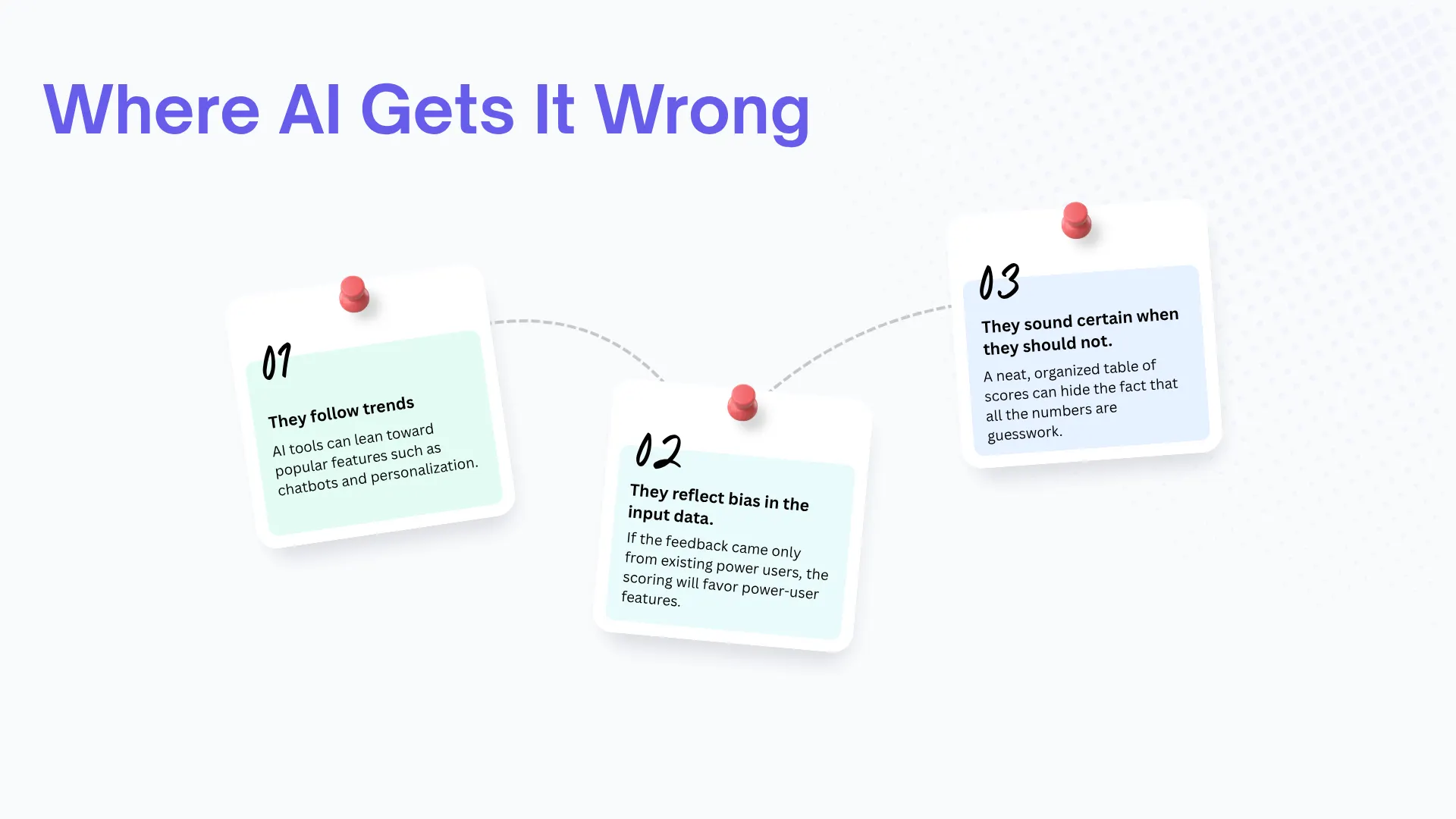
That said, AI tools tend to fail in predictable ways:
- They follow trends. AI tools can lean toward popular features such as chatbots and personalization, so check whether those fit your users before accepting them.
- They reflect bias in the input data. If the feedback came only from existing power users, the scoring will favor power-user features.
- They sound certain when they should not. A neat, organized table of scores can hide the fact that all the numbers are guesswork.
Treat the output as a well-organized second opinion. The NIST AI Risk Management Framework is built on the premise that people are ultimately accountable for decisions influenced by AI, and product scoping is no exception. People should always have the final say.
When Should You Include AI in Your MVP?
Beyond planning, you should add AI to your app only if it solves a real user problem. For example, if the whole app is designed to help users complete a task through chat, a chatbot belongs in the first version. We built Sibot, a virtual assistant app, where the AI interaction was the product itself. In an app designed to help users order or book something, such as a restaurant reservation, a chatbot could help but is not necessary for the app to work, because users can complete the task themselves.
A practical rule:
- For the MVP: Include an AI capability only when it supports the app’s core purpose or solves a validated user problem.
- Later: AI for recommendations, personalization or prediction
This is a rough framework for deciding which AI capabilities to add. For more options, see this overview of adding AI features to your app. Also plan for additional testing, because AI features can go wrong in many different ways, not just through broken screens.
What Affects Cost and Timeline
Generally, an MVP is less expensive and ships faster, because there is less to build and test. The size of the difference also depends on factors that apply to both, such as the platforms targeted, the number of integrations, the backend, and compliance needs.
Expect a wide range of MVP cost estimates online. The variance is due to different teams using the term “MVP” for products of different scopes. For a better comparison, read about the average mobile app development cost and how the app development timeline usually unfolds.
AI-assisted tools can help produce parts of the code and other deliverables, but published speed figures vary widely by task, tool and year. In GitHub’s 2022 controlled experiment, developers using Copilot finished one coding task 55% faster than those without it. In METR’s 2025 randomized trial, experienced developers working in their own large codebases took 19% longer with the early-2025 tools, even though they expected to be faster. METR has since said newer tools likely help more, but its own follow-up data was too unreliable to give a firm number. So no single speed-up figure should be treated as a fact for your project, and everything AI produces still needs human review. Be wary of bold claims that AI dramatically reduces the cost of app development without explaining which part got cheaper.
Typical Errors When Defining an MVP
- Letting the MVP keep growing. If the first release gains a new feature every week, it is no longer an MVP.
- Skipping validation. A small app built on an untested idea is still a gamble.
- Prompting with thin inputs. If an AI score is based on only a few guesses, it produces overconfident and often wrong answers.
- Blind faith in AI scores. Treat them as a draft, especially the effort estimates.
- Cutting the wrong things. Removing security features or the core features that make the app reliable can erode trust before you have gained any users.
- Having no plan for after launch. Decide in advance what feedback or numbers will tell you to build, change, or remove features next.
Conclusion
Deciding between an MVP and a full-scale mobile app comes down to knowledge. If you are not sure the core idea is sound, an MVP lets you test the concept cheaply and learn from real users before you commit to a bigger build. If demand is already established and a thinner version would let users down, a full-scale app is warranted. In both cases, the hardest part is deciding which features earn a place in the first release.
This is where AI can help at every stage. It can cluster feedback, draft feature scores and show where your assumptions are weak. However, it cannot understand your business, your users or your constraints the way your team does, so people should always make the final decision. Treat AI as a fast, well-organized second opinion, not as the one who decides.
If you are about to plan your own app, start by listing every feature you want, then ask which single one the app cannot work without. The approach we take at CodeStore is to start with the core feature of the app and challenge the need for every other feature.