
table of content
- Mobile App Development Planning: A Step-by-Step Guide
- What Is Mobile App Planning?
- Why Planning Matters More Than Coding
- How to Plan a Mobile App: Step by Step
- Mobile App Planning Checklist
- A Simple App Brief to Prepare Before Development
- How Long Does App Planning Take, and What Does It Cost?
- Common Mobile App Planning Mistakes
- Conclusion
- FAQs


How to Plan a Mobile App Before Starting Development (2026 Guide)
Mobile App Development Planning: A Step-by-Step Guide
App budgets rarely get blown during coding itself. They get blown by decisions nobody made before coding started: a payment flow no one scoped, a privacy requirement that surfaces during store review, an AI feature bolted on in month four. Fixing a requirement on paper takes a few hours. Fixing it after it has been designed, built, integrated, and tested can take weeks.
If you are weighing a mobile app development company in USA, there is a good reason planning comes first. Once you know your scope, platforms, integrations, and compliance needs, you can judge proposals on more than price.
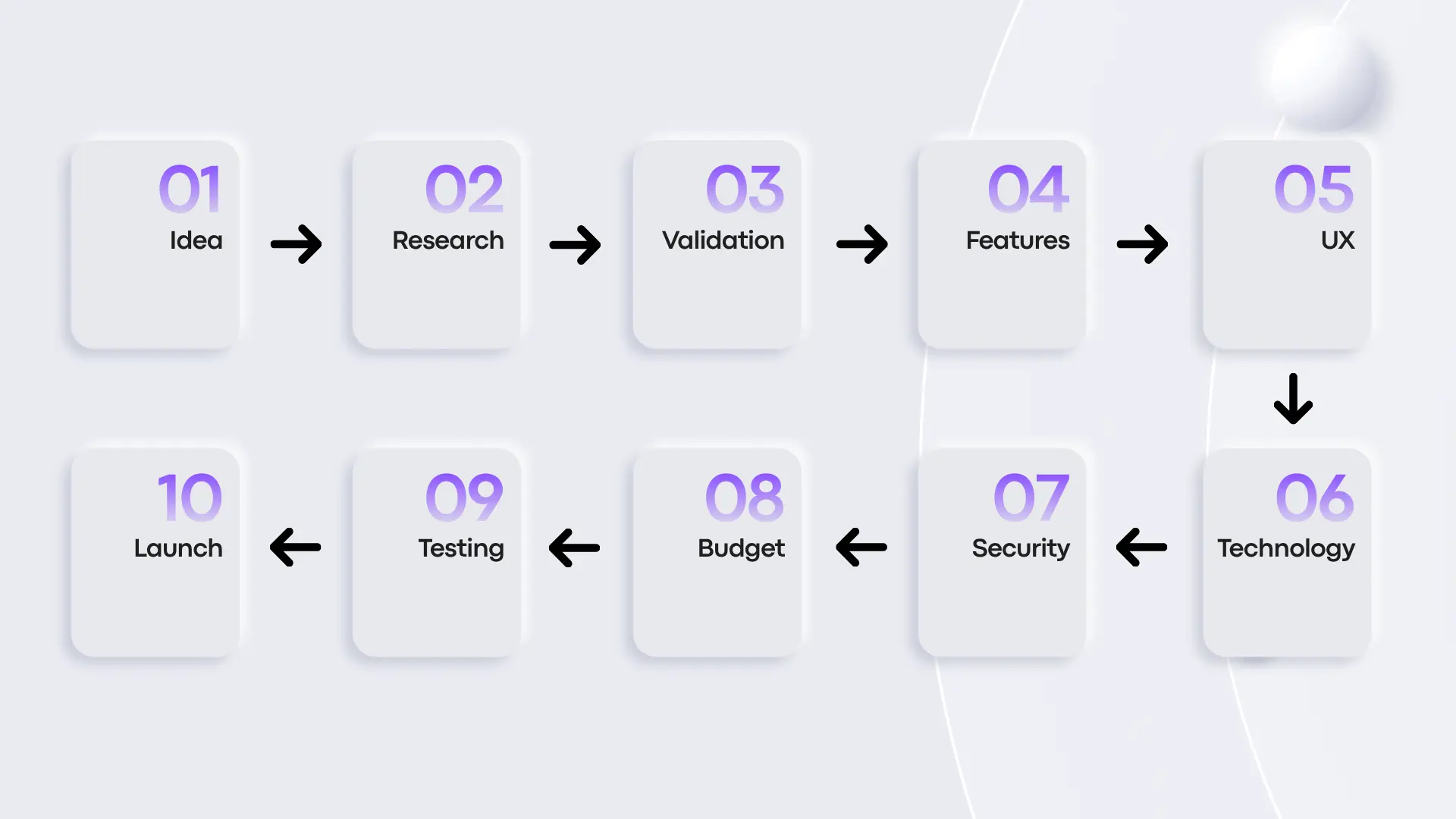
This guide covers eleven planning steps, a working checklist, a one-page app brief, and the U.S.-specific and AI-related points that matter most in 2026.
What Is Mobile App Planning?
Mobile app planning is the process of deciding what an app needs to achieve, and how it will be built, before development starts.
It covers product goals, target users, features, user flows, platforms, technology, integrations, security, monetization, budget, timeline, and launch requirements.
Planning vs. Discovery vs. Development
These three terms are often used interchangeably, but they describe different phases of the work.
- Planning sets the direction of the product and the decisions that need to be made before development begins.
- Discovery digs into requirements, users, technical feasibility, risks, and the assumptions made during planning.
- Development is where the product is designed, coded, integrated, tested, and prepared for release.
However, the exact process varies by project, but keeping these activities separate makes it clear what has to be decided before implementation begins.
Why Planning Matters More Than Coding
Jumping straight into code often feels faster, especially when the idea seems simple. But coding before the requirements are clear creates problems that compound and end up as rework.
Cost of Rework and Scope Creep
A change to a requirement usually means a change to code, and early changes cost far less than late ones. It is much easier to rethink a requirement before the feature has been designed, built, and tested.
Scope also tends to grow quietly. A business starts with a few core features and adds more as development moves along. Without a clear definition of the first release, every addition stretches both the budget and the timeline.
Risks Planning Can Remove
Good planning won’t eliminate every risk, but it exposes problems while they are still cheap to fix. It can reveal:
- Features that are more complex than they first appear
- Dependencies on third-party APIs
- Platform-specific requirements
- Security and compliance obligations
- Unclear user journeys
- Features that don’t contribute to the initial product goal
- Testing requirements that could affect the release schedule
The goal isn’t to predict every problem. It’s to make important assumptions visible before they turn into expensive changes.
How to Plan a Mobile App: Step by Step
Step 1. Define the Problem, Goals and Success Metrics
Teams often want to start listing features and writing code right away. That pulls attention away from the real problem. Start with the pain points your users have today, and what should get easier after launch.
Next set a few measurable goals, such as:
- Increase completed bookings by a set percentage
- Reduce manual order handling by a set number of hours per week
- Reach a target number of active users within six months of launch
- Improve 30-day retention for an existing product
Write your goals down with real numbers. They give the team a way to decide whether a feature belongs in version one, and whether the finished app worked.
Step 2. Understand Your Users and Market
Identify who will actually use the app and what they need from it. Look at their current workflows, friction points, and expectations, and at what they do today when your app doesn’t exist.
Competitor research helps too. Read the negative app store reviews of competing products, especially the 1–3 star ones. That is often where users say exactly what they are missing.
Don’t confuse market research with validation, though. Research gives you context for better planning decisions. Proving that people will use and pay for the product is a separate job, covered in the next step.
Step 3. Validate the Idea Before You Commit to a Big Scope
You can test risky assumptions cheaply, and without writing code. Even a small sample can tell you a lot.
- User interviews: Talk to 8–15 people in your target group about how they handle the problem today.
- Landing page test: Put up a simple page describing the app, add a sign-up or waitlist button, and see whether people actually click.
- Clickable prototype: Put a simple prototype in front of real users and watch where they hesitate.
- Concierge or manual test: Deliver the service by hand to a few customers to see whether the demand is real.
As a result, if the tests come back weak, you have saved a development budget. If they come back strong, you now have evidence to prioritize features with.
Step 4. Scope the First Release and Prioritize Features
Create an initial feature list, then separate what’s essential from what can wait. Every feature should earn its place by supporting the main user journey or the product goal.
A widely used framework for this is MoSCoW:
- Must have: The app can’t work, or has no reason to exist, without it.
- Should have: Important, but the first release can launch without it.
- Could have: A nice addition if time and budget allow.
- Won’t have (this time): Deliberately parked for a later release.
The “Won’t have” list matters most. Writing down what you are deliberately leaving out is the best defense against scope creep.
This is also where the decision between an MVP and a full-scale product comes in. Base it on real product requirements, not on how many features can be squeezed into version one.
Step 5. Choose Your Platform and Development Approach
Decide whether the app needs to support iOS, Android, or both, and whether native or cross-platform development fits better. A rough way to think about it:
| If Your App Needs… | Lean Toward |
| Advanced device features or high performance | Native (Swift/Kotlin) |
| Standard business flows on both platforms | Cross-platform |
| One platform has most of your users | Single-platform |
| Fast validation on a limited budget | Cross-platform or single-platform MVP |
Choose your initial platform based on your target audience, available user data, and business requirements rather than assuming one platform is always the better starting point.
Don’t pick a framework just because it’s popular. Choose the technology based on your product requirements, the skills available to you, and the long-term cost of maintaining it.
Step 6. Plan the UX: User Flows, Wireframes and Prototype
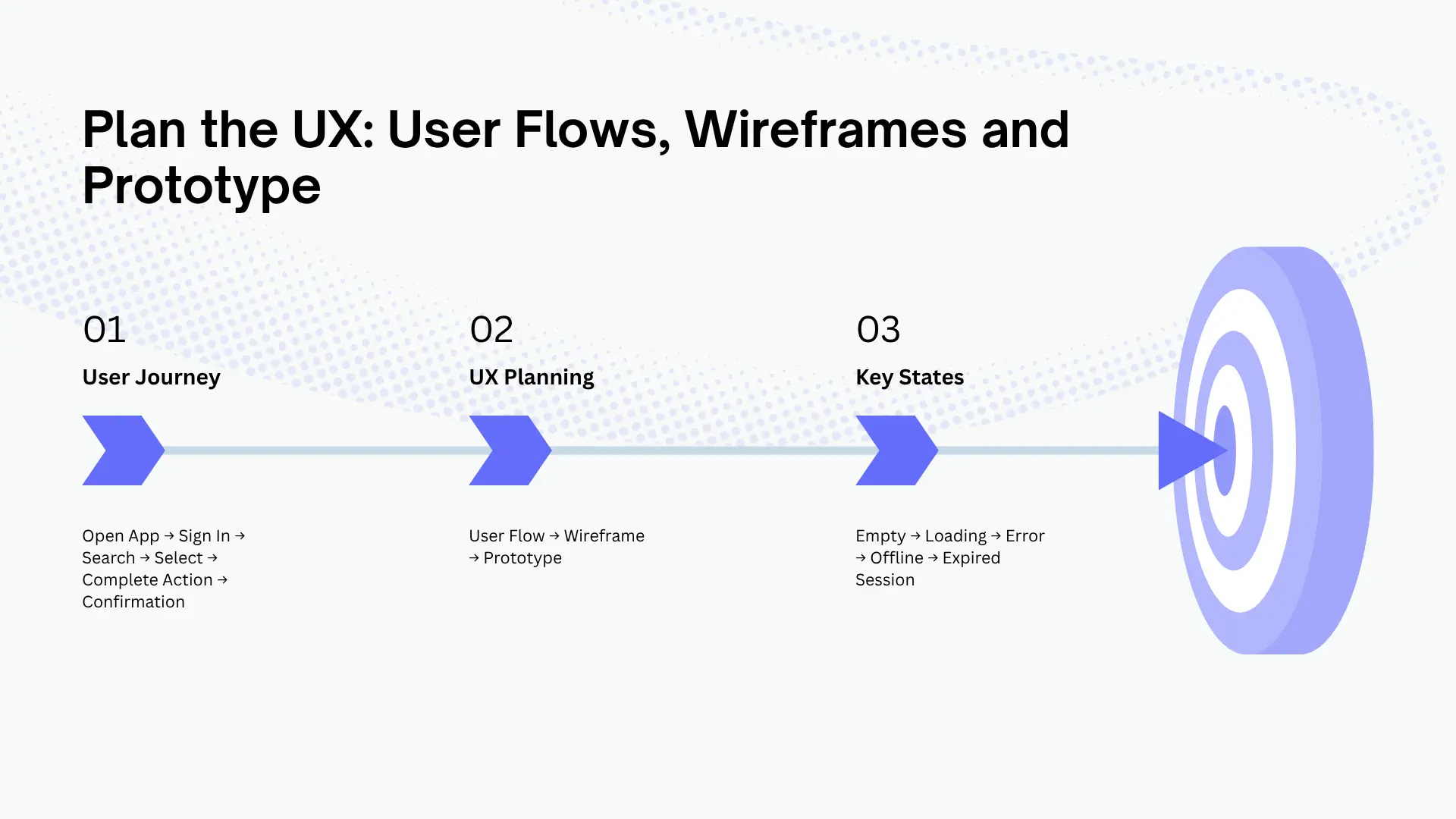
Before anyone builds individual screens, map the main user journeys. Starting with broad strokes, like the example below, often exposes missing or unnecessary steps.
Open app → Sign in → Search → Select an option → Complete action → Receive confirmation
Next, wireframes then show the basic structure of each screen, and a prototype lets stakeholders try the main interactions before any code is written.
For a product with multiple user types, planning user profiles, navigation, and wireframes helps clarify how the different parts of the app connect.
Don’t forget the states people rarely draw: empty screens, loading, errors, no connection, and expired sessions. Missing states are among the most common causes of rework late in development.
Step 7. Plan Architecture, Backend and Integrations
The mobile interface is only one part of most apps. Depending on the product, the technical plan may need to cover the backend, database, APIs, authentication, cloud infrastructure, analytics, payments, notifications, and other external services.
Third-party integrations need early planning because they bring dependencies around authentication, data formats, rate limits, availability, and failure handling. Understanding how third-party APIs work and the factors involved in using them helps teams spot these dependencies before implementation starts.
Payments are a good example. A payment integration isn’t just sending a request. The app also has to handle delayed responses, failed transactions, duplicate requests, refunds, and changes in transaction status.
Plan for offline behavior as well. Decide what the app should do when the connection drops: show cached content, queue actions for later, or block the feature with a clear message. Retrofitting offline support late is expensive.
Planning for AI Features
If your app will include an AI chatbot, recommendation engine, document processing, image analysis, or another AI capability, define it during planning instead of treating it as a later add-on. Adding AI features to a mobile application brings decisions that affect architecture, cost, and compliance. At a minimum, cover these:
- Where the model runs: On-device models offer lower latency, better privacy, and more control over data, but they are less capable and add to app size. Cloud models are more capable, but they need a network connection and ongoing API spend.
- Data privacy: What user data is sent to a third-party model provider? Is it stored, or used for training? Your privacy policy and app store disclosures need to reflect the answer.
- Cost per request: AI usage is metered. Estimate the cost per active user per month and decide how it fits your pricing model.
- Latency and user experience: Decide how the app behaves while it waits for a response, such as streaming text, progress indicators, or timeouts.
- Failure and fallback behavior: Models can be slow, unavailable, or wrong. Decide what the user sees when that happens.
- Output quality and safety: Define how you will test for incorrect, biased, or inappropriate outputs, and whether users can report problems.
- Testing: AI outputs vary, so testing needs example sets and acceptance criteria, not just fixed pass/fail cases.
- Model changes: Providers update and retire models over time, so leave room to re-test and migrate when that happens.
Read Also: How AI Is Changing Mobile App Development in 2026
Step 8. Plan Security, Privacy and Compliance for the U.S. Market
Security and privacy belong in the initial architecture and product planning, not at the end.
Start by identifying what information the app collects, where it is stored, who can access it, and which third-party services process it. Depending on the app, the plan may need to cover:
- Authentication and authorization
- Data encryption (in transit and at rest)
- Secure API communication
- User permissions
- Data retention and deletion
- Payment information
- Analytics and tracking
- Children’s data
- Accessibility
- App Store privacy disclosures
- Google Play Data Safety requirements
U.S. Regulations to Check
There is no single federal privacy law that covers every app in the U.S. What applies to you depends on your users, your data, your industry, and the states you operate in. Common ones to review:
- COPPA: If your app is directed at children under 13, or knowingly collects their data, review the FTC’s COPPA guidance during planning.
- State privacy laws: The CCPA and CPRA give California residents the right to access and delete their data and to opt out of its sale or sharing. A growing number of other states have passed similar laws. If you have users in these states, you may need to build request-handling into the product.
- HIPAA: Apps that handle protected health information for healthcare providers or insurers face strict requirements around storage, access, and vendor agreements.
- GLBA and financial regulations: Apps that handle consumer financial data may face additional safeguards and disclosure rules. Payment features can also bring PCI DSS requirements.
- Accessibility (ADA): Lawsuits over inaccessible digital products are common in the U.S. Plan for screen reader support, sufficient color contrast, and scalable text from the design stage.
- FTC rules on deceptive practices: What your privacy policy and store listing say has to match what the app actually does.
Application-specific legal and privacy requirements should be identified early, because they can change how an app collects, stores, and processes information. This matters most for apps that handle sensitive or regulated data. This guide is general information, not legal advice, so confirm your obligations with a qualified attorney.
For this reason, the key point is to identify the applicable requirements before development starts. Security or compliance changes introduced late can affect architecture, data flows, testing, and release plans.
Step 9. Plan Your Monetization Model
If the app is meant to make money, decide how before development begins. The model shapes both product design and technical requirements.
- Subscriptions: Need billing logic, trial handling, renewal and cancellation flows, and compliance with store billing rules.
- One-time purchases or paid features: Simpler to build, but they limit recurring revenue.
- In-app purchases: Require product catalog management and restore-purchase flows.
- Transaction or commission fees: Require payment processing, payout handling, and clear fee disclosure.
- Advertising: Needs an ad SDK, affects performance and privacy disclosures, and only pays off with enough user volume.
- B2B or licensing: Often needs admin panels, user management, and contract-based access.
Check store policies too. Apple and Google both have rules about which purchases must go through their billing systems, and those rules change, so review the current policies while you plan.
Step 10. Plan the Budget, Timeline and Team
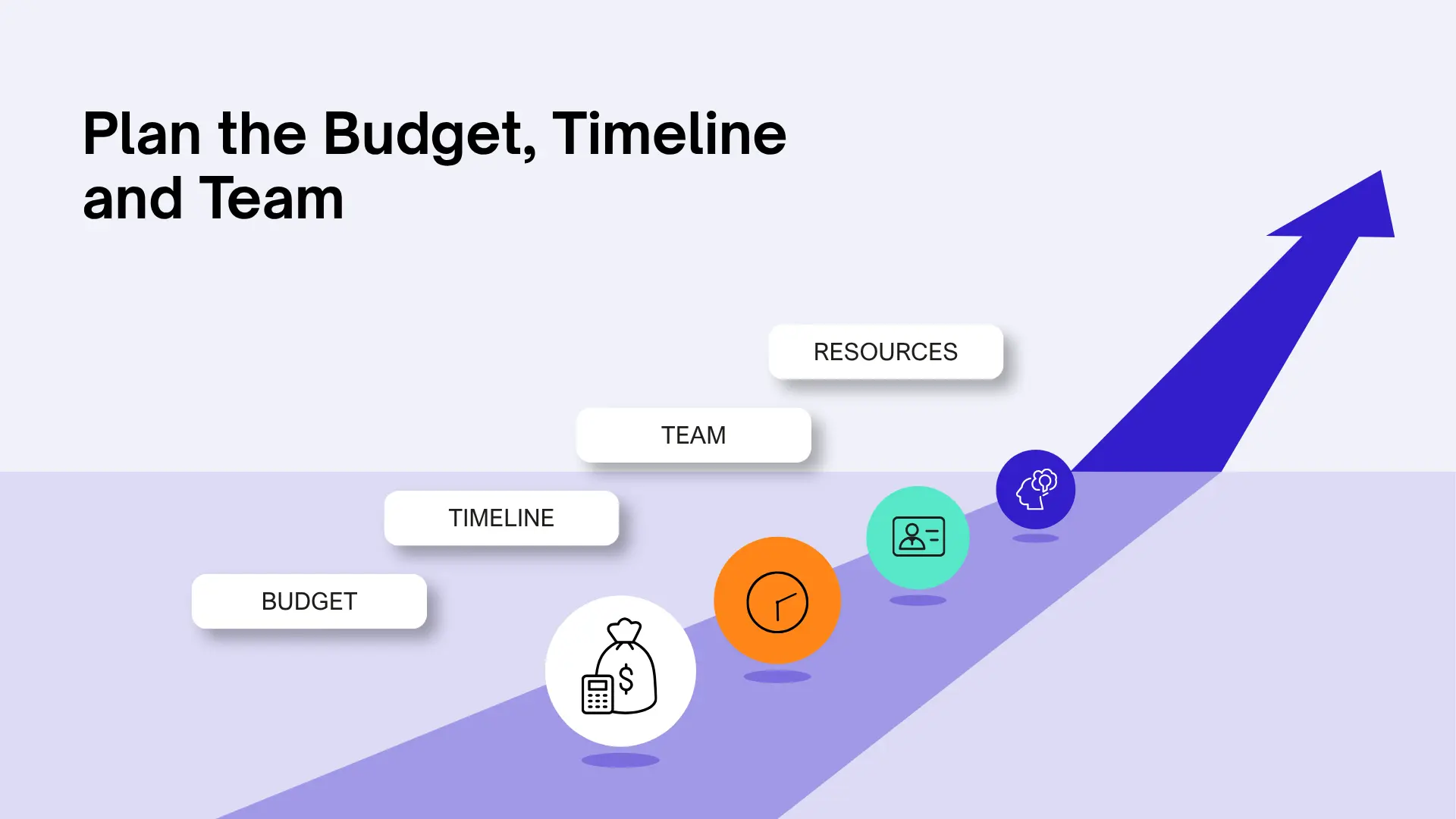
Once scope, platforms, integrations, and technical requirements are clearer, you can build a realistic estimate.
Budget depends on feature complexity, design, backend development, integrations, security requirements, testing, platform choice, team structure, and timeline. A detailed breakdown of these factors is covered in mobile app development costs in the USA.
The team is another major decision. You can work with an in-house team, an outsourced partner, or a mix of both. Each option affects communication, technical ownership, management, cost, and access to specialized skills.
Once the estimate is clearer, make sure your requirements are documented. That makes it easier to compare proposals on technical capability, communication, and project experience, not just price. The same factors apply when evaluating a mobile app development company.
Step 11. Plan Testing, Store Readiness and Post-Launch Support
Testing shouldn’t wait until the last few days before launch. The plan should define what gets tested, on which devices and operating systems, and how critical flows will be verified. Consider:
- Functional testing
- Device and OS compatibility
- Performance testing
- Security testing
- API and integration testing
- Usability testing
- Regression testing
- Network interruption scenarios
- Payment and authentication failures
- Accessibility testing
Prepare for store submission early by reviewing the App Store Review Guidelines and the relevant Google Play requirements, so problems surface before you submit. Plan your store listing (title, keywords, screenshots, description) as part of launch, because app store optimization (ASO) affects how people find the app.
Also decide what you will measure. Set up analytics events for your Step 1 success metrics before launch, so you have data from day one.
After launch, the plan continues with analytics review, crash monitoring, bug fixes, operating system updates, security updates, and future releases. A clear software maintenance plan defines who handles these updates and how post-launch issues are managed.
Mobile App Planning Checklist
Use this checklist to make sure you have covered everything before you move from planning into development.
| Planning Item | What to Have Ready |
| Problem & Goals | Problem statement and measurable goals |
| Target Users | User groups and key needs |
| Market Research | Competitor and market findings |
| Validation | Interview, landing page, or prototype results |
| Initial Scope | MoSCoW-prioritized feature list |
| User Journeys | Main flows, edge cases, and error states |
| Platform | iOS, Android, or cross-platform decision |
| UX | Wireframes or prototype |
| Architecture | Technical architecture and dependencies |
| Integrations | API and third-party service requirements |
| AI Features | Model approach, data, cost, and fallback |
| Security | Data, access, privacy, and security requirements |
| Compliance | Legal and regulatory requirements |
| Monetization | Revenue model and billing rules |
| Budget | Initial estimate and assumptions |
| Timeline | Milestones and dependencies |
| QA | Testing scope and device coverage |
| Analytics | Events and dashboards tied to goals |
| Launch | Store listing, release, and ASO requirements |
| Maintenance | Post-launch support and ownership |
A Simple App Brief to Prepare Before Development
A one-page app brief makes early conversations with designers, developers, and agencies much easier. Include:
- App purpose: What problem does the app solve?
- Target users: Who will use it?
- Core functionality: What must the first version do, and what is explicitly out of scope?
- Platforms: Which operating systems does it need to run on?
- Integrations: Which external services does it depend on?
- Monetization: How will the app make money, if at all?
- Security/compliance: What data is involved, and which regulations might apply?
- Success metrics: How will you know it’s working?
- Budget and timeline: What time and money constraints should the team work within?
The brief doesn’t need to be perfect. It just needs to give the whole team a shared starting point.
How Long Does App Planning Take, and What Does It Cost?
There’s no single answer, but ranges help you set expectations.
Timeline. A straightforward app with clearly defined requirements can often be planned in roughly 2 to 4 weeks. An app with multiple user types, complex integrations, sensitive data, AI functionality, or strict compliance requirements commonly needs 4 to 8 weeks or more.
Cost. When planning or discovery is handled by an outside team, it is often priced as a fixed-scope engagement. The cost varies based on product complexity, technical requirements, team location, and the depth of discovery required.
What you get for the money matters more than the number. A good planning phase should end with concrete deliverables: a prioritized scope, user flows and wireframes, a high-level architecture outline, a risk list, and an estimate you can rely on.
Once those decisions are made, they feed into a more realistic schedule. The mobile app development timeline can then be estimated around your actual scope instead of a generic number.
Common Mobile App Planning Mistakes
Skipping Validation
A well-designed, well-built app can still fail if it doesn’t solve a problem users care about. Confirm your core assumptions (see Step 3) before committing to a large build.
Overloading Version One
When the first version tries to include too many features, it becomes expensive to build and hard to manage. Work out which features the core product actually needs, and park the rest for future releases.
Ignoring the Monetization Model
Subscriptions, transaction fees, advertising, and paid features each lead to different product and technical decisions. Choose your model early.
Leaving Compliance Until the End
Privacy and security requirements affect how data is collected, stored, accessed, and transferred. Identifying them late often means avoidable rework.
Choosing a Development Partner Without Proper Vetting
A proposal can look attractive because of its price or portfolio, but that doesn’t show how a team handles scope changes, testing, ownership, technical risks, or post-launch support. Before selecting a partner, go through the questions to ask before hiring an app development company so your evaluation covers more than pricing and delivery estimates.
Having No Post-Launch Plan
An app needs maintenance after release. Operating system updates, third-party API changes, security issues, bugs, and new product requirements all create future work. Budget for it.
Conclusion
Planning gives a mobile app project a clear starting point. By defining the problem, validating the idea, prioritizing features, mapping user flows, planning technology, security, and monetization, and accounting for budget, testing, and post-launch support, you can make better development decisions before coding begins.
The real value of this work continues after development starts. The app brief, the MoSCoW list, and the checklist work best as living documents: revisit them at each milestone, record what changed and why, and use them to push back on scope that doesn’t serve your success metrics. Teams that treat planning as an ongoing discipline, rather than a one-time handover, can catch problems sooner and keep budgets more predictable.
Your next step is to create your one-page app brief and run one simple validation test, such as five user interviews or a landing page, before committing to a full build. If you need help turning that brief into a scoped and estimated roadmap, CodeStore can help you plan, design, develop, and support your mobile app from the initial idea through post-launch.