
table of content
- A Complete Guide to Apple’s Siri AI and App Intents for Businesses
- How Siri AI has Evolved
- What the Preview Adds
- Rising support and constraints
- What is App Intents?
- Apple’s three building blocks
- App’s skills for longer, multi-step requests
- Actual Apps Doing This
- Is Your App Ready? A Readiness Checklist
- What are the risks?
- What about Flutter and React Native apps?
- Google is Taking a Similar Approach
- What to Look for in a Mobile App Development Company
- Conclusion
- Frequently Asked Questions


Is Your App Siri Ready? What Businesses Need to Know About App Intents
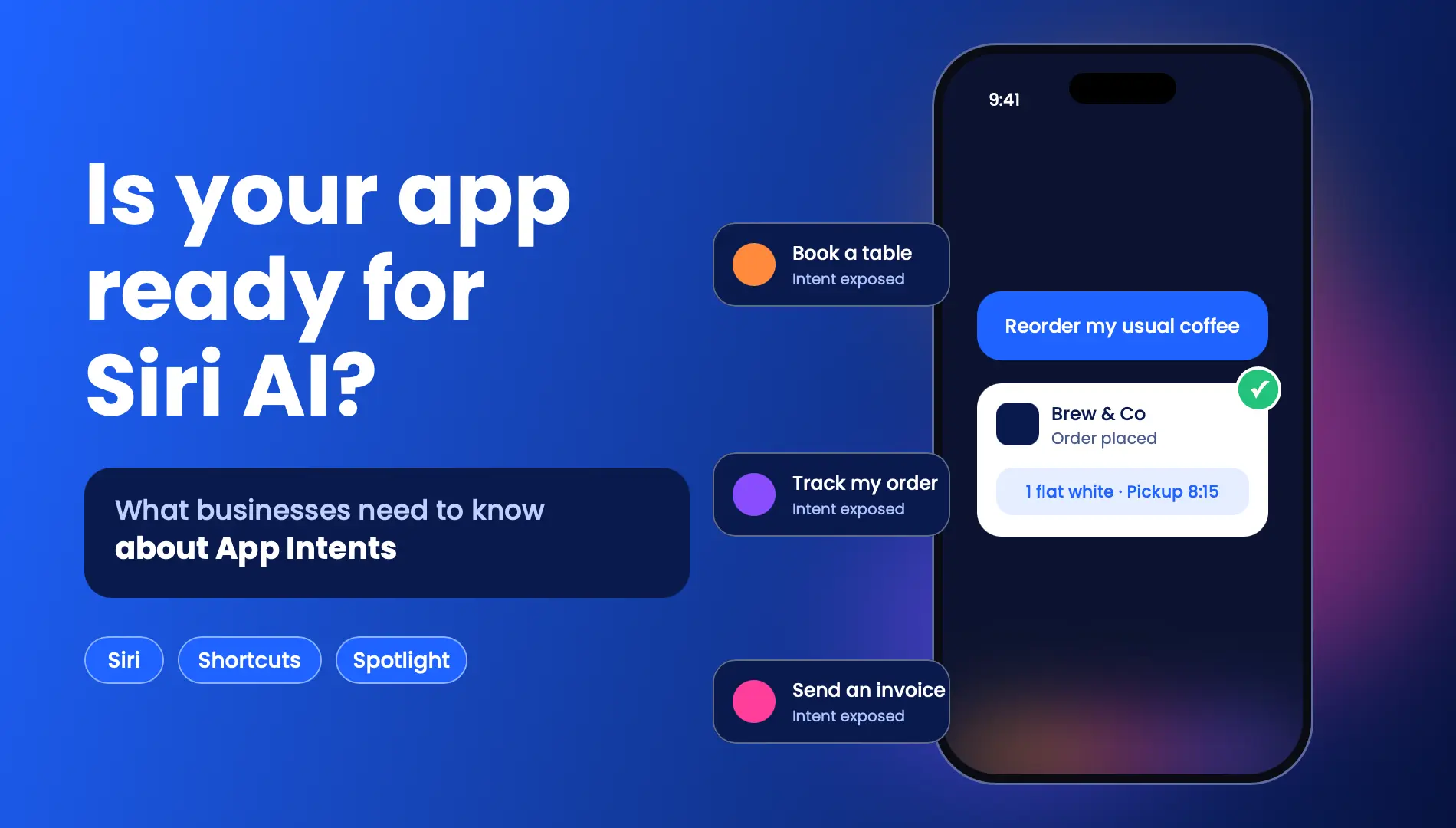
A Complete Guide to Apple’s Siri AI and App Intents for Businesses
Quick Summary
- What Happened? On November 3, Apple released a Siri AI Developer Preview to enable app developers to connect their app’s content and actions to Siri AI through App Intents.
- What Are App Intents? App Intents help developers explain the actions and functions their apps support to Siri. Siri can take actions only if an app explicitly defines and makes those functions available.
- What’s Next? Currently, App Intents are available through the iOS 27.3 beta. The first customer integrations are expected in a few months. Developers will be able to submit their apps to the App Store in spring 2027.
- What Should You Do Now? Identify the actions customers perform most frequently, understand what happens in the backend, and create a plan for privacy and consent. Start by testing a small set of actions.
- What’s Uncertain? Terminology may change. Some server-side features have daily usage limits, and Apple has indicated that it may charge a fee for expanded access. Siri AI is not available in the EU on iOS, iPadOS, and watchOS.
Apple released a Siri AI Developer Preview on November 3. Customers will soon be able to use Siri to perform actions that previously required them to interact directly with a company app, such as checking a delivery status, making a restaurant reservation, or placing an order.
The connection between an app and Siri is made through a framework called App Intents. This guide explains what App Intents are, what Apple has revealed, and what businesses should examine before the spring 2027 App Store submission window. It is particularly relevant for business owners and product teams working with mobile app development services to identify their next steps.
How Siri AI has Evolved
Siri AI is Apple’s rebuilt assistant. It first launched in beta with iOS 27 in September. From September to November 3, 2025, apps could only connect to Siri AI through categories defined by Apple.
However, according to Apple, the new Developer Preview will allow any app to integrate with Siri AI through App Intents. Apple has given examples such as checking a delivery status, making a reservation, and placing an order.
The new preview introduces several capabilities:
- Any app can now integrate its actions and content with Siri AI.
- Siri AI can understand natural, conversational requests and recognize their context, allowing users to make requests in their own words.
- Siri AI can learn to perform tasks that involve several smaller actions.
- Siri AI can surface different types of content, known as entities, in the Spotlight index when users request them.
Rising support and constraints
From November 3, 2025, supported developers can test App Intents in the iOS 27.3 betas. Apple expects the first customer integrations in a few months, while App Store submissions are expected to open in spring 2027.
Until then, Siri AI has some limitations. It is available only on Apple Intelligence-enabled devices and is unavailable in the EU and for users under 13.
What is App Intents?
App Intents is Apple’s mechanism for informing the iPhone about what a particular app can do. Instead of requiring users to open an app and navigate through multiple screens, developers can describe the app’s available actions and content in a format the system can understand. Siri can then carry out those actions on the user’s behalf.
According to Apple’s App Intents documentation, Siri can find app content and perform actions only when developers make them available through App Intents. By default, nothing is exposed to Siri.
Apple’s three building blocks
Apple’s documentation breaks this framework into three main ideas: Intent, Entity, and Schema.
| Building block | What it means for your app |
| Intent | An action like tracking an order, or booking a time slot, that an app can perform. |
| Entity | Content that Siri can identify and use, like an order or a reservation |
| Schema | Apple’s standard definitions for common actions and contents, to help Siri understand and match user’s requests for day-to-day activities. |
App’s skills for longer, multi-step requests
One intent is designed to perform one action. However, in real-world situations, completing a task may require several actions.
For example, a user might want to find an order, check its status, and then message someone about it. With Apple’s new skills, developers can teach Siri how to combine several actions within an app to help users complete a task.
These skills allow developers to define the limits and guide how Siri makes decisions, rather than leaving Siri to determine the restrictions on its own. Therefore, testing remains extremely important.
Apple has positioned Siri AI as a way for customers to discover apps more easily and increase the reach of businesses using them. As Apple’s documentation states, “Customers can gain easier access to your app, and you can increase the reach of your business.”
However, Apple also points out an important limitation: “Siri can surface only what an app exposes.” This can be a problem for apps that automate or support business tasks such as reorders, bookings, and status checks. If an app does not expose these actions, users still have to complete the work themselves.
As discussed in the AI in mobile app development whitepaper, “Intelligence is shifting from app features to surfaces.”
Actual Apps Doing This
According to Apple, thousands of developers have already added Siri integrations to their apps for features such as directions, to-do lists, messages, and audiobooks.
For task management apps, Siri support means users can add tasks, include notes, and manage appointments using their voice.
Things 3 (version 3.24) allows users to add a to-do using their voice and continue speaking to add notes, reschedule tasks, move them to a project, or correct something Siri got wrong. Siri can also search notes and tasks in Things 3 and other MacSparky apps. According to MacSparky’s review, an earlier major update also introduced Spotlight integration.
Todoist explains its Siri integration in its Help Center. Siri integration is available to users with an iPhone 15 Pro or later and iOS 16 with the Siri AI beta. Users also need to make sure Siri App Access is turned on for the Todoist app.
Both examples highlight the importance of a few key elements: a limited set of available actions, content that Siri can index, and, in Todoist’s case, an initial configuration that businesses need to explain to users.
Is Your App Ready? A Readiness Checklist
Apple hasn’t released its final terms, but the overall framework provides businesses with a useful starting point for preparation.
Find the actions users repeat most
Start by identifying what users do repeatedly, such as reordering, tracking deliveries, rebooking, checking balances, or adding items to a list.
The best candidates are usually actions that are simple and straightforward. Food delivery apps are a good example. People often place the same orders and check the status of their deliveries, which are also among the examples Apple has provided.
An app like Foody falls into this category. Start with actual user data rather than choosing actions simply because they sound impressive.
Check the backend for each action
Siri will use natural language to understand and describe these actions. To make each action reliable, the backend must be able to understand the request and respond clearly and accurately.
If an action can only be completed through a multi-screen flow, the process may need to be revised before it can be exposed through Siri.
The backend must also be able to process incoming requests, verify the user’s identity, and manage errors without exposing sensitive information. For actions such as ordering and booking, it is important to prevent unnecessary duplicate requests.
For example, if Siri repeats an action or a user requests it multiple times, the backend should not process the same action again and create a duplicate order or booking.
Plan privacy and consent
Siri can read and perform actions on content made available through your app. Therefore, explain what Siri can access and which actions it can perform.
Apple’s App Review will also evaluate whether your app obtains consent before sharing personal data with third-party AI services. Best practices for mobile app security also apply.
Start with three to five actions, test
Begin by exposing a small set of actions and evaluating how Siri interprets similar requests.
Check how the app responds when users provide incomplete or ambiguous input, or when they request an action that requires consent that has not yet been provided.
Developers should also test how the app behaves when an API or authentication endpoint fails and when a user makes a multi-step request.
Use Apple’s documentation and the Xcode development and testing tools to understand App Intents and evaluate Siri’s behaviour.
What are the risks?
This is still a preview. According to Apple’s documentation, Siri behaviour and the App Intents API are subject to change. These features are currently available only in development builds and to internal TestFlight testers.
Terms and policies haven’t been finalized. Apple states that it will share the terms and policies for using Siri Experiences later.
There may be a future cost. Apple states that features included in Apple Intelligence have usage limits. Expanded access to these features will be offered for a fee. Access to Siri AI may also have usage limits and could involve a fee. However, final pricing and terms haven’t been announced.
Reach. Siri AI is available only on supported Apple Intelligence devices, including eligible iPhone and iPad models, and in select languages.
Timing. Customer integrations are expected in a few months, and the submission window for App Store listings is expected to open in spring 2027.
What about Flutter and React Native apps?
App Intents are defined in Swift code, so cross-platform frameworks are not excluded. However, these apps need a native layer to support the integration.
For React Native, the team at Expo released the expo-app-intents package to help developers expose actions for Siri and Shortcuts. The package is still in alpha, so teams should assess its capabilities and compatibility with their requirements before considering it for production.
The package documentation also states that some features are supported only in Xcode 27 and that changing a Swift declaration requires a new build.
There are similar approaches for Flutter apps, where intents are also implemented in Swift and connected to shared Flutter logic using platform channels.
In both cases, defining app intents in a native layer raises a few questions. Teams need to consider how shared application logic will be integrated and how everything will remain in sync with future app updates.
Ask your cross-platform app team how they plan to implement and maintain the native part of your app.
Google is Taking a Similar Approach
Google is heading in the same general direction. During the recent Android Developer Summit, it demonstrated AppFunctions, an experimental layer designed to expose app functions to on-device agents or the system through Android MCP.
It also demonstrated its Connected Apps Platform preview, which allows users to reach an app through the Gemini app or Google Search.
The idea is similar to Apple’s approach: apps describe what they can do so an assistant can perform those actions for the user. Developers building apps for both platforms should consider these developments together when planning their app architecture.
What to Look for in a Mobile App Development Company
These advancements require several different but closely connected areas of expertise, including:
- Native iOS expertise in Swift, since the intent layer is native.
- Design and planning to identify which actions should be exposed first and why.
- Backend and API services to make the exposed actions reliable.
- Privacy and security to safeguard user data and protect the company.
- Testing and validation to understand how Siri interprets requests.
- Transparency about unknowns while the preview and its requirements are still evolving.
Read Also: 10 Questions to Ask Before Hiring a Mobile App Development Company
Conclusion
Siri AI turns actions within apps into things people can request through natural language. Preparing for this change is more manageable when businesses start early.
Begin by listing the actions users repeat most often, checking the backend processes behind those actions, addressing privacy concerns, and testing with a small user base while Apple finalizes its requirements.
Apps that start preparing now will have time to learn from the preview before App Store submissions open in spring 2027.
A development team with native iOS and backend integration experience can help businesses identify which actions to expose first and prepare their apps for this change. CodeStore can help businesses assess these requirements as part of their mobile app development initiatives.