
table of content
- How to Select the Best Technology Stack for Mobile App Development in 2026
- What Is a Mobile App Tech Stack?
- What Is Covered in Full-Stack Mobile App Development?
- Native vs Cross-Platform: What’s Right for Your App?
- Six Factors That Must Drive Your Tech Stack Decision
- Choosing a Tech Stack Based on Your App Type
- How AI Is Changing the Tech Stack Decision
- Backend, Database and Cloud: Where Costs Go Up
- Tech Stack Mistakes You Should Avoid
- A Quick Checklist Before You Decide
- Conclusion
- FAQs


How to Choose the Right Tech Stack for a Mobile App in the AI Era
How to Select the Best Technology Stack for Mobile App Development in 2026
Ask any AI tool what tech stack to use for your app, and you’ll get a confident answer in seconds. Sometimes it’s a good one. But the answer depends on what you tell it. Most founders skip the details that matter most: budget, team skills, compliance rules, and whether the app will need AI features later.
Your mobile app tech stack determines how quickly you can launch, what it costs to run the app, who you can hire to maintain it, and how easily it can adopt AI features down the road. Once launched, changing it usually involves rebuilding large parts of the app.
This guide explains how to choose a mobile app tech stack in 2026, with AI in mind at every step. It covers what AI features demand from a stack, how AI tools affect app development, and how to compare options without trusting AI blindly. It also gives you the right questions to ask when working with a mobile app development company.
Quick Summary
The choice between native and cross-platform development does not have a single answer. It depends on your app requirements, budget, team skills, platform-specific features and long-term maintenance. AI affects decisions throughout the process, from where models run to what your backend needs to handle, so it is worth planning for early. Use AI tools to compare stacks, but have an experienced developer confirm the final choice.
What Is a Mobile App Tech Stack?
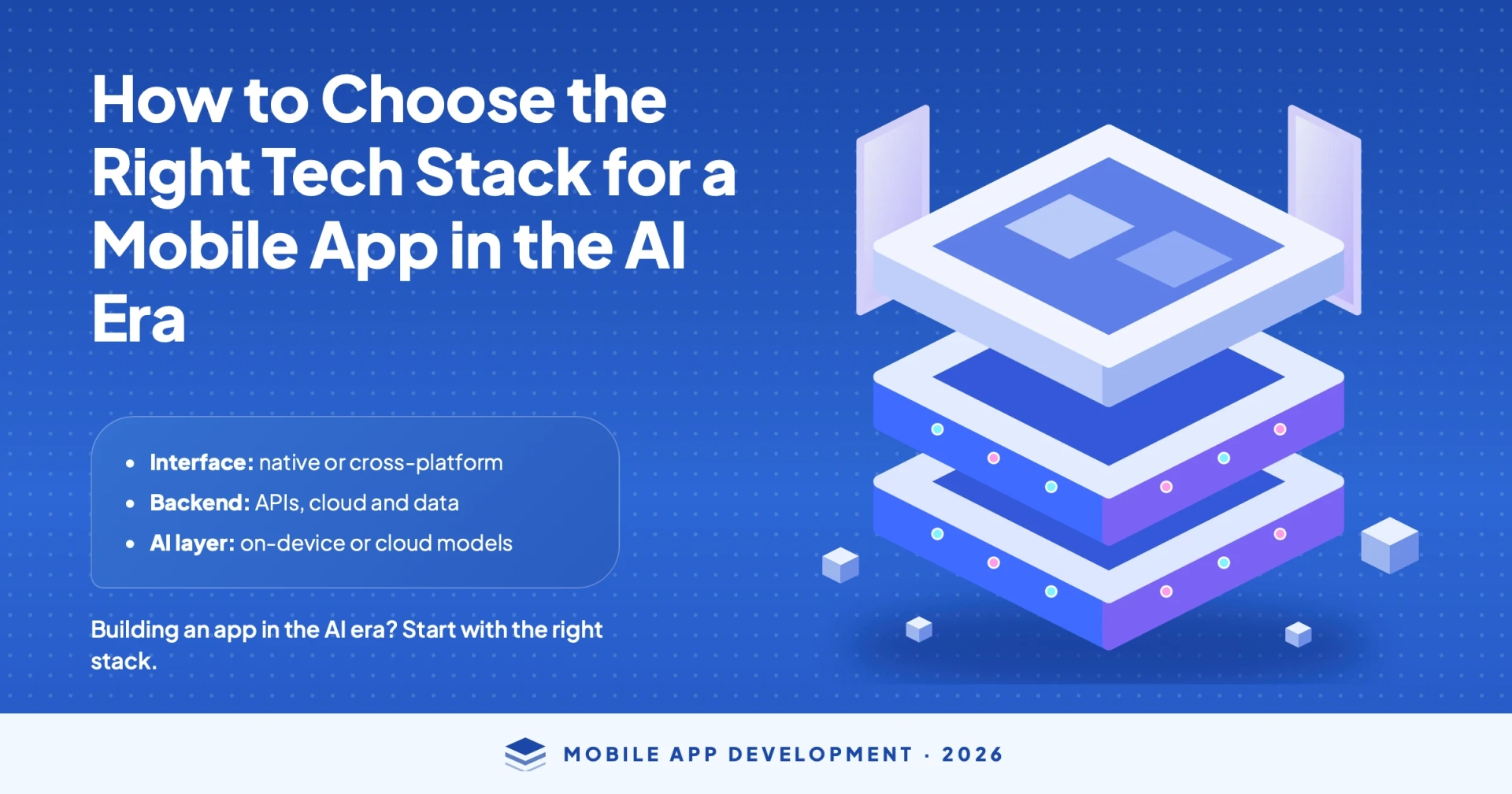
A mobile app tech stack is a combination of languages, frameworks, databases, services and tools used to build and run an app. Think of it as a set of layers. Each layer has its own choices, and each choice affects the others.
In 2026, there is another factor to consider. If the app will use AI for recommendations, chat, image recognition or smart search, the stack needs to support those capabilities.
Frontend: What Users See and Interact With
The frontend is the app’s interface. For native apps, this usually means Swift for iOS and Kotlin for Android. For cross-platform apps, common choices include Flutter (Dart) and React Native (JavaScript or TypeScript).
The frontend also affects how easily the app can use on-device AI, which we will discuss later.
Backend, Database and APIs: The Logic Behind the Scenes
The backend handles accounts, payments, business rules and data. Popular choices include Node.js, Python (Django or FastAPI), Java and .NET, paired with a database such as PostgreSQL, MySQL or MongoDB.
AI features often rely on the backend too. A chat feature or recommendation engine may call an AI model through an API and manage the data associated with that process. Reliable third-party API integrations are important for connecting these services and keeping them working together.
The App’s Home: Cloud and DevOps
Cloud services such as AWS, Google Cloud and Azure host the backend, store files and help the app scale as its user base grows. DevOps tools handle testing, releases and monitoring.
AI workloads can increase hosting costs quickly, so cloud planning should be part of the stack decision from day one, not something left until after launch. Decisions about cloud app development made early can also help avoid expensive migrations later.
What Is Covered in Full-Stack Mobile App Development?
Full-stack mobile app development covers every layer of an app, from the mobile frontend to the backend, database, APIs and cloud infrastructure. The same concept applies to full-stack web and mobile app development.
What matters here is how these layers work together. A choice in one layer can affect cost, performance, hiring and maintenance across the others. That is why it helps to consider the entire stack as one connected decision.
Native vs Cross-Platform: What’s Right for Your App?
This is the first major decision. Native apps are built separately for iOS and Android, while cross-platform apps share a codebase across both. The table below shows where each approach is likely to fit.
| Approach | Best for |
| Native (Swift, Kotlin) | Apps that require significant hardware access, high performance or early access to new OS features |
| Cross-platform (Flutter, React Native) | Apps that need one team, one codebase and a faster launch on both platforms |
| Hybrid or web-based | Content-driven products and simple apps that do not require deep device integration |
When Native Costs More and Is Worth It
Native development makes sense when an app depends on device-specific capabilities such as advanced camera functionality, AR, Bluetooth, sensor-heavy features or demanding graphics. It also provides direct access to platform APIs, although the availability of specific features depends on OS support and implementation.
That does not mean native apps are always faster. A well-built cross-platform app can perform well for most business use cases, while a poorly built native app can still feel sluggish.
The trade-off is having two codebases to build and maintain, which often means managing two development teams as well.
When to Use Cross-Platform Development
Cross-platform development suits many business apps, including marketplaces, booking platforms, content apps, internal tools and many fintech and healthcare applications.
A shared codebase can reduce development costs and speed up updates, but the savings depend on the project. Heavy animation, extensive native integrations or platform-specific design requirements can reduce that advantage. The Flutter documentation is a useful starting point for understanding what the framework supports before making a decision.
For AI features, cross-platform apps commonly rely on cloud AI services through APIs. On-device AI is also possible, but it may require additional native code or plugins. Discuss how these features will be implemented with your developers before committing to a framework.
Practical Trade-offs: Three Common Cases
- Limited budget and a fast launch: Cross-platform development is usually a practical choice when the app mainly involves screens, forms, payments and content, and the team wants to maintain one codebase.
- Hardware integration or complex device-specific features: Consider native development, or a cross-platform app with native modules, when the app relies on Bluetooth devices, advanced camera capabilities, AR or close OS integration.
- Existing team skills: A team already working with JavaScript or TypeScript may learn React Native more quickly. A team willing to learn Dart may prefer Flutter’s consistent UI controls. Choose a framework that the people responsible for maintaining it can work with effectively.
These decisions can also affect project delivery. The framework, integrations and AI requirements all influence the mobile app development timeline, so account for them when planning the launch.
Read Also: Flutter Vs. React Native: Which is best for your Mobile Application?
Six Factors That Must Drive Your Tech Stack Decision
Generic advice often recommends choosing the most popular framework. A better approach is to evaluate each option against six factors and identify where AI changes the decision.
1. App Type and Key Features
Start with what the app needs to do. Live chat, video calls, location tracking, payments, offline mode and heavy animation can all influence the choice. The same applies to AI features.
A recommendation engine or chat assistant may mainly require a capable backend, while on-device image recognition depends on what the platform and framework support. If you are still defining your feature list, understanding how AI helps define mobile app features can help you identify requirements before choosing the technology.
2. Budget and Schedule
Cross-platform development can reduce the initial build cost and shorten the timeline, but not always. Extensive native integrations can reduce that advantage. Native development costs more upfront but can be worthwhile when performance or device-specific features are central to the product.
AI features also introduce ongoing expenses, including API usage and data processing. Include these as recurring costs in your budget rather than considering only the initial development expense. The overall cost of mobile app development will depend on the app’s complexity, integrations and long-term requirements.
3. Scalability
Ask what would happen if usage grew tenfold. A stack that works for a few thousand users may need changes when the app reaches hundreds of thousands, particularly at the backend and database levels.
AI features can also create uneven workloads when many users request AI-powered functions at the same time. Plan the backend to handle these demand spikes without affecting the rest of the app.
4. Security and Compliance
Apps that handle payments, health records or personal information may need to meet requirements such as PCI DSS or HIPAA, depending on the market and the data involved.
Your stack should support encryption, secure authentication and audit logs. If the app sends user data to an AI service, understand where the data goes, how it is stored and who can access it. These considerations may influence whether certain processing should remain on the device.
5. Team Skills and Hiring
A stack is only as effective as the people who can build and maintain it. A technology your team already understands may be a better choice than a trendier framework that requires extensive training.
Check how easy it is to hire developers with the required skills in your target market. Also consider whether the team can maintain the app as requirements evolve.
6. Long-Term Maintenance
Choose technologies with active communities, regular updates and clear documentation. Mobile operating systems evolve every year, and those updates often require additional testing.
Strong software testing and QA helps identify compatibility issues and prevents updates from breaking existing functionality.
Choosing a Tech Stack Based on Your App Type
There is no single best stack for every application, but there are sensible starting points. Use the following table as a basis for discussion with your developers rather than treating it as a fixed recommendation.
| App Type | Stack Direction to Consider |
| Marketplace and on-demand | Cross-platform frontend, scalable cloud backend, real-time updates and maps integration |
| Fintech | Strong security focus, native or well-audited cross-platform code, encrypted storage and compliance tooling |
| Healthcare | Privacy-first backend, secure data handling and audit trails for health data compliance |
| Social and content | Cross-platform frontend, media storage and delivery, push notifications and recommendation services |
| Enterprise | Stack that matches existing systems, a strong API layer, single sign-on and admin controls |
Marketplace and On-Demand Applications
These apps depend on real-time interactions, such as live order status, driver locations and chat between buyers and sellers. A cross-platform frontend combined with a backend built for frequent updates is a common approach.
AI can support search, recommendations and pricing suggestions. The backend should therefore be ready to call AI services and manage the data those features need.
Fintech and Healthcare Apps
Security and compliance should lead the decision for these applications. Choose technologies your team can secure and audit, and pay close attention to how user data moves through the system.
If you add AI for tasks such as fraud detection or symptom triage, check what data reaches the model and whether it should remain on the device. On-device processing can reduce the need to send certain data to external services, but it does not automatically make an app secure or compliant.
Compliance depends on the entire system, including data storage, access controls, logging, third-party vendors and any processing that takes place on servers.
Social and Content Apps
Social and content apps handle large amounts of media and frequent user interactions. Storage, content delivery and notification services are just as important as the frontend.
AI-powered recommendations and search may also influence how content is stored, processed and delivered.
Enterprise Applications
Enterprise apps must work with the systems a company already uses, including identity platforms, internal databases and legacy software. In many cases, integration capabilities matter more than the frontend framework.
The Sibot case study provides an example of how an AI-powered application can come together.
How AI Is Changing the Tech Stack Decision
AI affects the stack in four practical ways. Understanding these requirements early can help you avoid expensive changes later.
Cloud AI and On-Device AI
The first question is where the AI runs. On-device AI runs directly on the phone. It can work offline, respond quickly and keep certain data on the device, but its capabilities are limited by the phone’s processing power, memory and storage.
Cloud AI runs on a server and is accessed through an API. It can use larger, more capable models, but it requires a connection, adds running costs and may send data off the device.
Many apps use both approaches: a smaller on-device model for quick tasks and a cloud model for more demanding operations.
What Each Approach Can Achieve
On iOS, Apple’s Core ML framework is designed to run trained models on the device.
On Android, Google’s ML Kit offers ready-made on-device capabilities such as text recognition, barcode scanning and translation. Some ML Kit capabilities are also available on iOS. Gemini Nano is Google’s on-device generative AI model, which runs through the Android AICore system service. Developers can access it through supported APIs, including ML Kit GenAI APIs.
Availability depends on the device and feature, so check Google’s official documentation before choosing an approach for your app.
Cross-platform frameworks can access these tools through plugins or native code. However, support varies by framework, plugin, feature and platform. Check compatibility with your target devices before development. If on-device AI is central to your app, discuss this additional technical requirement before selecting a framework.
What the Backend Requires for AI Features
AI features need more than a model. They require clean data, a way to call and monitor AI services, rate limits to control costs, and fallback options for when a service is slow or unavailable.
Semantic search and personalised recommendations may also need a vector database or a dedicated data pipeline. The AI in mobile app development resource covers these use cases in more detail.
Where AI Falls Short and How to Use It to Compare Stacks
AI tools can quickly lay out options and trade-offs. The quality of the answer depends on the details in your prompt. Compare these two examples:
- Weak prompt: “What is the best tech stack for a mobile app?”
- Better prompt: “Compare Flutter and React Native for a marketplace mobile app with in-app chat and payment processing. We have a team of four JavaScript-savvy developers and a six-month launch window. We also plan to integrate AI search later. Please list the trade-offs for cost, hiring, performance and AI integration.”
The second prompt gives the AI more useful context. Even then, treat the result as a first draft. AI tools may miss your compliance requirements, hiring market or recent framework changes.
Ask follow-up questions, verify claims against official documentation and have an experienced developer review the final choice.
If you plan to add intelligence to an app after launch, understanding how to add AI features to an existing application can help you plan a stack that leaves room for future improvements.
Backend, Database and Cloud: Where Costs Go Up
Most tech stack guides concentrate on the frontend. However, backend and cloud choices often determine long-term costs, so they deserve equal attention.
SQL vs NoSQL
SQL databases such as PostgreSQL and MySQL work well with structured data and clearly defined relationships, including orders, accounts and payments. NoSQL databases such as MongoDB are useful for flexible or rapidly changing data, such as activity feeds or content.
Many apps use both. If your app will rely on AI-powered search or recommendations, ask your team about vector search support early because it may influence the database choice.
Firebase or Your Own Backend
Tools such as Firebase, a backend-as-a-service platform, help small teams launch quickly because authentication, storage and notifications are available as managed services.
The trade-off is less control and the possibility of becoming dependent on one provider as the app grows.
Building a custom backend takes longer but gives you greater control over data, security and costs. It can also make switching AI providers easier later, which matters in a market where AI services continue to evolve.
Cost and AI Use
Cloud bills increase as users, storage requirements and AI calls grow. Before finalising the stack, ask your team to estimate monthly running costs for the first year, including AI usage.
A low-cost initial build paired with an expensive backend can become a poor long-term investment.
Tech Stack Mistakes You Should Avoid
Choosing a tech stack is only one part of planning a successful app. Businesses also need to avoid common mistakes before developing a mobile app that can lead to delays, unexpected costs or technical challenges.
- Choosing based on popularity: A framework that works for another company may not suit your features, team or budget. Start with your requirements and evaluate each option against them.
- Ignoring AI needs until later: A stack that cannot integrate AI services cleanly or support on-device models may require a costly rebuild when AI features are introduced. Decide early whether AI will run on the device, in the cloud or through both approaches.
- Accepting AI recommendations without checking them: AI tools provide quick answers but may overlook compliance rules, hiring constraints and budget limits. Use their recommendations as a starting point and have an experienced developer review them.
- Underestimating cloud and backend expenses: The frontend is the visible part of an app, but backend expenses can add up quickly, especially with AI usage. Estimate monthly costs for the first year before committing.
- Choosing a stack the team cannot maintain: If no one on the team knows the technology, fixes can become slow and expensive. Review hiring availability and long-term support before making a decision.
- Locking into a provider too early: Switching a backend or AI service later can require significant rework. Keep components replaceable where practical, for example, by using your own API layer.
A Quick Checklist Before You Decide
Run through these questions with your team before making a final decision. Each answer points towards a possible direction.
| Question | What the Answer Points To |
| Does the app require heavy hardware access or top performance? | Native (Kotlin, Swift) |
| Do you need to launch on iOS and Android quickly with one team? | Cross-platform (Flutter, React Native) |
| Will the app include AI features? | Plan AI APIs, data pipelines and on-device models if needed |
| Does the AI need to work offline or keep data on the device? | On-device AI, using native or plugin-supported setups |
| Does the app process payments or health data? | Security-first backend and compliance tooling |
| Does your team already know a particular language? | Prefer that stack unless a requirement rules it out |
| Could usage grow tenfold in a year? | Scalable cloud backend and a database designed for growth |
Choosing the right development partner matters too. Knowing how to choose a mobile app development company can help you evaluate potential partners based on their technical expertise, experience and ability to meet your long-term requirements.
Conclusion
Choosing the right mobile app tech stack means balancing your app requirements, AI workload, budget, security needs, scalability and long-term maintenance. A stack that performs well in one area but falls short in another can create additional costs later.
AI tools can help you compare options and formulate better questions. Validate the final decision with experienced developers who understand the full picture. This approach can help control costs, speed up development and leave room for future growth.
If you want a second opinion on your stack before development starts, CodeStore‘s mobile app development team can walk through your requirements with you.