
table of content
- React Native vs Flutter: Performance, Features, and Key Differences
- What Changed in 2026 (and Why Older Advice Is Out of Date)
- React Native vs Flutter at a Glance
- Performance: Does the Difference Still Matter?
- AI Features Inside Your App: Which Framework Fits?
- Building With AI Tools: What Changes for Each Framework
- Which One Fits Your Team and Product?
- Native Modules, Debugging and Testing in Practice
- Cost, Hiring and Maintenance for Indian Businesses
- How to Choose Between React Native and Flutter
- Final Thoughts
- Frequently Asked Questions


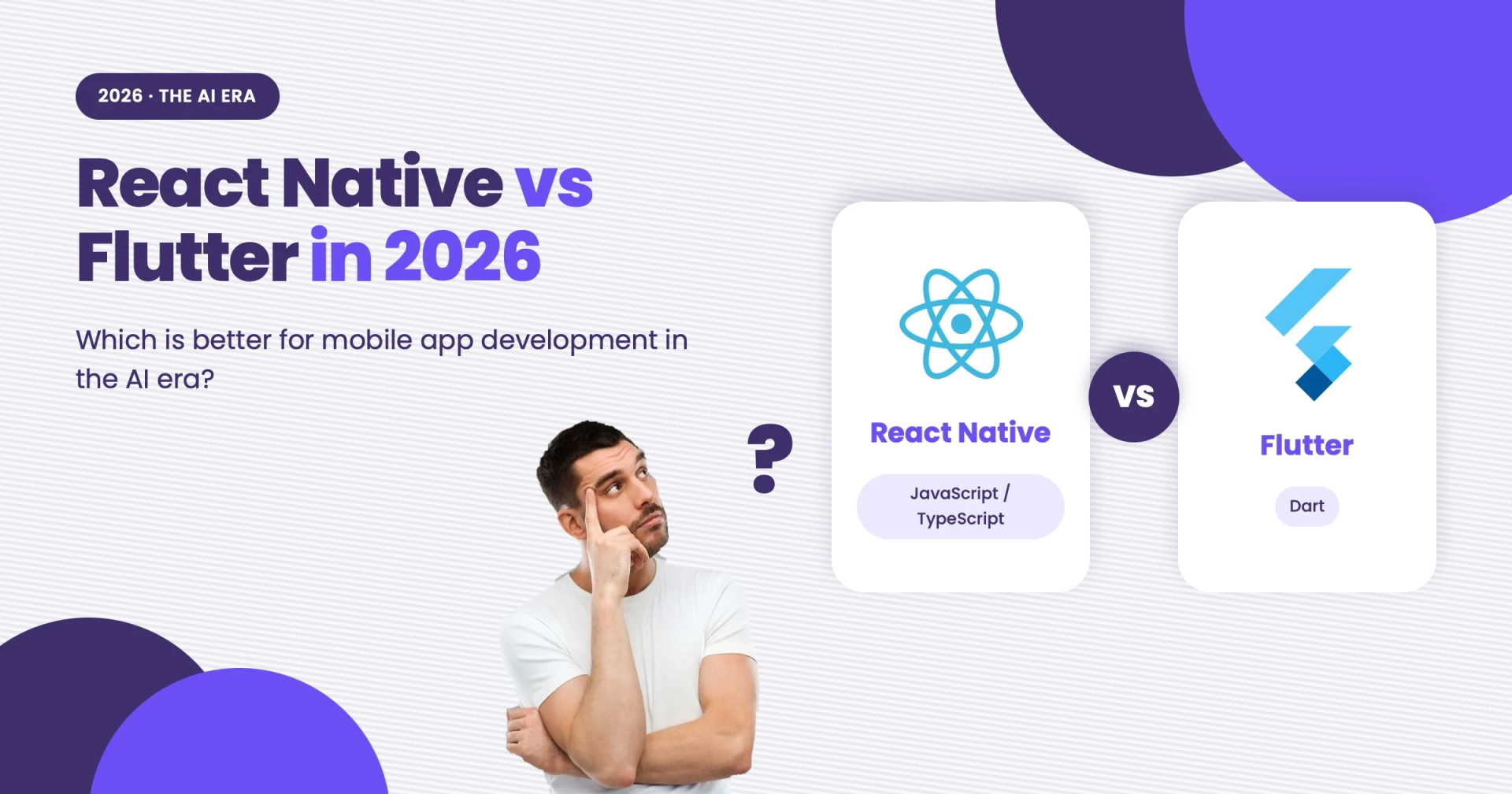
React Native vs Flutter in 2026: Which Is Better for Mobile App Development in the AI Era?
React Native vs Flutter: Performance, Features, and Key Differences
The comparison between these two cross-platform frameworks often leads to strong, confident, and sometimes conflicting opinions. Developers are usually right for their particular projects, and that is what makes the discussion complicated.
In 2026, the decision has become even more challenging. Both frameworks have introduced significant changes, AI tools continue to help developers generate parts of the code, and many apps now include AI-powered features. However, plenty of comparison articles still repeat the same advice from 2022.
Choosing a mobile app development company that understands both frameworks can help businesses make a more informed decision. This article compares React Native and Flutter across performance, AI features and coding tools, development costs, hiring in India, and the types of teams and products each framework suits best.
Quick Answer: React Native or Flutter?
Choosing between React Native vs Flutter depends on your project requirements, your team’s existing skills, and the features you plan to build.
React Native is a strong fit if your team mainly works with JavaScript or TypeScript and wants to share code and skills with a React web app.
Flutter works well if you need a highly customized interface with a consistent UI across iOS and Android.
Choose either framework for standard business apps with features such as forms, payments, notifications, and lists.
Consider native development if your app requires advanced hardware features, AR, or demanding graphics.
Both frameworks can work well for AI-powered apps. The choice depends more on your AI model, integration needs, and performance requirements than on AI alone.
What Changed in 2026 (and Why Older Advice Is Out of Date)
If you are reading a comparison from 2022 or 2023, some of its information may already be outdated. Both frameworks have continued to evolve, and these changes can affect real project decisions.
React Native’s New Architecture addresses several limitations of the old asynchronous bridge through the JavaScript Interface (JSI), which allows JavaScript and native code to interact more directly. It also introduces Fabric, the new rendering system, and TurboModules, the updated native module system.
The New Architecture became the default in React Native 0.76, while version 0.82 removed support for the Legacy Architecture. You can explore these changes in the official React Native documentation.
However, the New Architecture does not automatically make every app faster. Improvements depend on factors such as the app’s architecture, rendering workload, native integrations, and existing performance bottlenecks.
For new projects, make sure every essential third-party library is maintained and compatible with the New Architecture.
Flutter’s major rendering improvement is Impeller. A shader is a program that determines how graphics are processed or displayed. In some rendering systems, compiling shaders while an app is running can cause stuttering. Impeller prepares shaders in advance to reduce this problem.
According to the Flutter Impeller documentation, Impeller is the default on iOS and Android API 29 and above. Devices that do not support the required rendering path may fall back to the legacy OpenGL renderer.
Overall, React Native and Flutter still make different trade-offs, but the performance gap that once made Flutter an obvious choice for certain workloads has narrowed. The decision now depends more on your team’s expertise, the UI you want to build, and the libraries your app requires.
React Native vs Flutter at a Glance
Before looking at the details, here is how the two frameworks compare across the areas developers commonly consider.
| Area | How They Compare |
| Language | React Native uses JavaScript or TypeScript. Flutter uses Dart. |
| UI approach | React Native uses native platform views, helping apps follow platform conventions. Flutter draws its own widgets, supporting a consistent design across platforms. |
| Rendering and runtime | React Native uses the New Architecture with JSI, Fabric, and TurboModules, alongside Hermes as its JavaScript engine. Flutter compiles Dart to machine code in release builds and uses Impeller where supported. |
| Native integration | React Native uses Turbo Native Modules with typed specifications and generated interfaces. Flutter uses platform channels for platform APIs and Dart FFI for C-based libraries. |
| Ecosystem | React Native uses the npm ecosystem. Flutter uses pub.dev. In both cases, check whether critical packages are maintained and support your target OS versions. |
| Hiring in India | JavaScript skills are widespread, which can help with React Native hiring. Flutter talent availability varies by city and seniority. |
| Web and code sharing | React Native suits teams that build web apps with React and can share language and business logic. Flutter can also target web and desktop, although platform-specific considerations still apply. |
| Backed by | React Native is backed by Meta. Flutter is backed by Google. |
| Hot reload | React Native offers Fast Refresh. Flutter offers stateful hot reload. Both provide quick feedback during development. |
Performance: Does the Difference Still Matter?
For most business apps, performance differences are not significant enough to determine the framework on their own. However, they can matter for certain workloads.
Flutter bypasses the device’s native UI widgets and draws the interface using its own widget system. In release builds, Dart is compiled to machine code, and Impeller handles rendering where supported. This gives Flutter control over each frame, which can make it a good fit for animation-heavy apps and customized interfaces.
The trade-off is that the UI does not automatically adopt changes to native platform controls. If you want your app to reflect new styles introduced by an operating system, your team may need to implement those changes.
React Native uses the platform’s native views for rendering, so standard controls follow the conventions of the relevant operating system. However, enabling the New Architecture does not guarantee better performance in every case. Improvements are more likely when the old bridge or renderer was the actual bottleneck. Hermes handles JavaScript execution.
In practice, differences are more likely to appear on screens doing substantial work, such as long lists with complex items, animation-heavy interfaces, or older and lower-end devices. If many users have older Android phones, measure performance on those devices.
Be careful when interpreting benchmark charts. Results depend on the app, device, and framework version, so a benchmark from 2024 may tell you very little about performance in 2026. A better approach is to build your most demanding screen in both frameworks and profile each version on a mid-range Android phone and a recent iPhone.
For more detailed guidance, the React Native performance guide explains common bottlenecks and why performance should be checked in release builds. Flutter’s performance best practices cover issues such as unnecessary widget rebuilds and expensive rendering operations.
AI Features Inside Your App: Which Framework Fits?
In mobile development, AI can refer to two different things. This section covers AI features that users interact with inside an app. The next section looks at AI coding assistants that developers use to build the app.
When planning an AI feature, the first question is where the model will run: on the user’s device or in the cloud.
Cloud AI: Chatbots, Assistants, Summaries and Recommendations
When an app uses a cloud-based AI model, it sends a request to a server and displays the result to the user. Most chatbots and assistants use this approach. Summaries and recommendations can also rely on cloud AI.
Four factors influence the design more than the framework itself.
Latency: The time users wait for an answer includes the network round trip and the model’s response time. Both frameworks can support streaming responses, allowing the app to display an answer as it is generated.
Privacy: Consider where user data goes, what the provider stores, and what users have agreed to. Depending on the data and where users live, data protection laws may apply.
API security: Never include a provider’s secret API key directly in the app because keys embedded in mobile apps can be extracted. Route requests through your own backend or use a managed service designed for secure access. Set up user authentication and rate limits.
Running costs: Each request may incur a cost, so the design should account for usage limits and caching from the beginning.
For Flutter, options include Firebase AI Logic, Genkit for Dart, and the Flutter AI Toolkit for chat interfaces. React Native teams can use JavaScript or TypeScript client libraries offered by many AI providers.
Because credentials should remain on your server where required, most apps make HTTPS requests to their own backend. Both frameworks support this approach. The better choice depends on the services and integrations your app needs.
On-Device AI: Image Recognition, Offline Voice, Private Data
On-device AI can support features such as offline voice processing, text recognition, and image classification. The model runs on the phone, which can allow data to remain on the device. However, this approach also has its own trade-offs.
Latency: On-device models avoid network delays, but they still need to load into memory and run on the phone’s processor or accelerator. A model that performs well on a flagship phone may be slower on a budget device.
Privacy: Keeping data on the device can simplify consent and data handling for sensitive inputs. However, the complete app workflow should still be checked to confirm that information is not transmitted elsewhere.
Hardware limitations: Model file sizes affect storage and memory usage. Sustained inference can drain the battery and increase device temperature. Smaller or compressed models are often necessary, although they may be less capable than larger cloud-based models.
Implementation complexity: Your team is responsible for model conversion, packaging, downloads, updates, and testing across different device tiers.
Flutter can use plugins for runtimes such as LiteRT, while React Native supports libraries such as ExecuTorch for running models on the device. Both frameworks can also integrate with native AI and camera capabilities.
Before choosing a framework, confirm that a maintained library supports your model format, target devices, and operating system versions. Some implementations may require native code, and not every library supports every model format.
Use the table below as a checklist rather than a scorecard.
| AI Use Case | What to Check First |
| Chatbot or in-app assistant | Backend design, streaming, and API key security. Either framework can work. |
| Summaries, search, and recommendations | Whether the feature runs on the server, where the framework often matters less. |
| Image or object recognition on the device | The required model runtime and whether a maintained plugin or native module supports it. |
| Live camera with AI | How frames reach the model and how quickly it runs on mid-range and low-end phones. |
| Offline or privacy-sensitive features | Model size, memory use, data handling, and how the model is downloaded and updated. |
| System-provided on-device models | Whether a maintained plugin supports your OS versions or native code is required. |
Neither framework is universally better for AI. Run a small proof of concept using your actual model or API on a low-end device before deciding. For a broader look at how AI is being used in mobile apps, see AI in mobile app development.
Building With AI Tools: What Changes for Each Framework
This section covers the other type of AI: coding assistants that developers use to write, review, and test apps. These tools can improve delivery speed and code quality, but they do not determine which framework is best suited to your product.
AI coding tools can help scaffold screens, build forms and API clients, write unit tests, and explain unfamiliar errors. They can also help teams develop an MVP faster, making it easier to test a risky feature before committing to a framework.
However, some issues are fairly predictable.
Version drift: AI assistants can generate code based on older APIs or patterns. React Native 0.82 and later support only the New Architecture, so snippets that assume the Legacy Architecture may not apply. Mention your framework and package versions in prompts, then check suggestions against the official documentation.
Invented or outdated packages: An assistant may import a package that does not exist, is no longer maintained, or does not support your operating system version. Review every new dependency before adding it to the project.
Native configuration: Permissions, Gradle and Xcode settings, and app store requirements are common sources of errors in generated code. A successful build does not necessarily mean the app will work correctly, so test the result on real devices.
Tests that mirror the code: Automatically generated tests may simply verify what the existing code already does instead of checking whether it meets the requirements. Review the test cases and make sure they cover expected edge cases.
Sensitive data: Do not include API keys, credentials, or client data in prompts unless your tool and agreement permit their use.
Rather than guessing which framework an assistant handles better, test it. Give the tool the same small task in both frameworks, such as building a paginated list screen, and compare how much editing each result needs.
Whatever the framework, treat generated code as a draft. A developer should review it, and real-device testing should confirm that it works as intended. For more information about AI across the planning, development, and delivery stages, see how AI changes the mobile app development process.
Feature lists alone rarely settle the React Native vs. Flutter decision. Your team’s experience, the interface you need, and your third-party integrations often have a greater influence.
A food delivery app, for instance, may need ordering, payments, delivery tracking, and push notifications. These workflows are illustrated in the Foody app case study. A grocery app has similar needs, often with separate workflows for customers, store staff, and delivery teams, as shown in the Fresh Supermarket case study.
| Your Situation | Better Fit and Why |
| You already have a React or JavaScript web team | React Native. Your team can reuse the language, tooling, and much of the business logic. |
| Brand-led app with custom UI and rich animation | Flutter. It draws its own interface, helping the design stay consistent across devices. |
| Startup MVP with standard screens and a small budget | Either one. Choose the framework you can hire for and maintain. |
| Fintech or e-commerce app with payments, login, and identity checks | Either one, but check each vendor SDK first. Confirm support for your framework before committing. |
| One product that must also run on web and desktop | Test both early. Flutter supports web and desktop targets, while React Native teams often share logic with web applications rather than the entire UI. |
| Heavy AR, games, or advanced camera work | Native development, or cross-platform development with significant native modules. The right approach depends on hardware access and performance requirements. |
Three illustrative situations show how the reasoning works. These are hypothetical examples, not client projects.
A retailer that already runs a React web store can use React Native to reuse TypeScript knowledge and much of its business logic. The goal is to share logic, not markup, because app screens still need to be built with the appropriate mobile components.
A consumer brand with a signature interface may prefer Flutter for custom animated charts and a distinctive visual identity. The trade-off is that the interface will not automatically adopt every change to native platform controls, and accessibility needs to be tested on both platforms.
A fintech app with identity checks may need a KYC vendor, biometric login, and a payment SDK. If a critical vendor offers only native SDKs, someone on the team will need to write and maintain a native module in either framework. Check this before choosing, because the additional work can outweigh other differences between the frameworks.
If you are also comparing languages, backends, and cloud services, the guide to choosing the right tech stack for a mobile app covers the wider decision.
Native Modules, Debugging and Testing in Practice
Cross-platform development reduces duplicated work, but native code may still be needed for hardware access, platform-specific APIs, and third-party SDKs.
Native modules: In React Native, a Turbo Native Module starts with a typed specification in TypeScript or Flow, from which Codegen generates native interfaces. Developers then write the Android and iOS code behind them. Flutter uses platform channels to pass messages between Dart and Kotlin or Swift, with data serialized along the way. Dart FFI can connect directly to C-based libraries.
Debugging: React Native DevTools works with Hermes and covers the JavaScript side, while native crashes and native modules still require tools such as Xcode and Android Studio. Flutter DevTools provides an inspector along with performance, memory, and CPU views.
Testing: Flutter includes unit, widget, and integration testing tools in its SDK. React Native projects commonly use Jest with React Native Testing Library for component tests, along with an end-to-end tool such as Detox or Maestro. In both frameworks, permission dialogs, push notifications, and operating system behaviour should be tested on real devices.
Cost, Hiring and Maintenance for Indian Businesses
When development costs are quoted as a single number, the estimate can be misleading. Rates depend on factors including the city where the work is done, staff seniority, and the overall project scope. It is more useful to understand the factors that have the greatest impact on cost.
Scope and the number of integrations. The number of integrations, user roles, and screens usually affect development costs more than the framework itself.
Native integrations. Background tasks, third-party integrations, and hardware-specific features may require native code for each platform. Implementing and maintaining these features takes time and effort with either framework.
Design and animations. A highly customized interface with complex animations requires more design work and QA than a standard interface built with framework controls.
Testing. The number of operating system versions, devices, and screen sizes that need to be supported affects testing costs.
Running costs and maintenance. Hosting, monitoring, and app store fees continue after launch. Server-side AI features can also introduce per-request expenses. Both frameworks require regular updates to remain compatible with operating system changes, so budget for maintenance each year.
Developer availability varies by city, role, and required skills. JavaScript and React skills are more widely used in web development, which can make it easier to find developers who can transition to React Native. Dart is less widespread than JavaScript, so hiring Flutter developers may require more effort. However, the talent pool is growing.
When comparing development quotes, ask each vendor to provide a detailed breakdown of shared development costs and costs specific to each mobile platform. Also, clarify who will support and maintain the app after release.
These cost factors, along with other considerations covered in mobile app development cost in the USA, should be included when preparing a development budget.
Native apps are not always the right choice. Cross-platform apps work well for many products, but apps that rely heavily on advanced hardware features, such as specialized camera functions, augmented reality, gaming, or Bluetooth interactions, may need additional native modules and extensive testing.
Starting with cross-platform development and moving some features to native code later is possible, but it comes with additional costs. To keep your options open, separate the backend and APIs from the app. This makes it easier to change the frontend in the future without having to rebuild the backend.
How to Choose Between React Native and Flutter
Answer these four questions:
- Who will own the app after launch, and what skills does the team have?
- Which screen or feature presents the greatest technical risk?
- Does the app require on-device AI or deep hardware access?
- Will the product share code or developers with a web app?
Use your answers to narrow down the options, then prototype the riskiest feature. If it performs well, you have evidence that the approach is suitable. If it requires several workarounds, you have identified potential sources of additional cost.
Final Thoughts
In the React Native vs Flutter comparison, the better option depends on your specific situation, including your team, UI requirements, and AI needs.
Before making the final choice, have an expert review AI-generated advice, test the app on real devices, and compare the findings with the official documentation.
When comparing the two frameworks for a real product, consider features, integrations, and maintenance alongside the initial budget. Supporting a product reliably over time is just as important as meeting its initial requirements.
If you are planning to build a cross-platform mobile app and need help choosing between React Native and Flutter, Codestore Technology can help you evaluate your requirements and choose an approach that aligns with your business goals, technical needs, and long-term growth.