
table of content
- How Kotlin Multiplatform works, when it fits, and where AI helps
- What Is Kotlin Multiplatform?
- What Can You Share, and What Stays Native?
- Where Kotlin Multiplatform Stands Today
- When Should You Use Kotlin Multiplatform?
- When Kotlin Multiplatform Is Not the Right Choice
- Kotlin Multiplatform vs Flutter vs React Native
- How to Adopt Kotlin Multiplatform Without a Rewrite
- Team, Tooling and Cost: What to Plan For
- Where AI Helps in a Kotlin Multiplatform Workflow
- A Quick Checklist Before You Decide
- Conclusion
- Frequently Asked Questions


What Is Kotlin Multiplatform? When to Use It and Where AI Helps
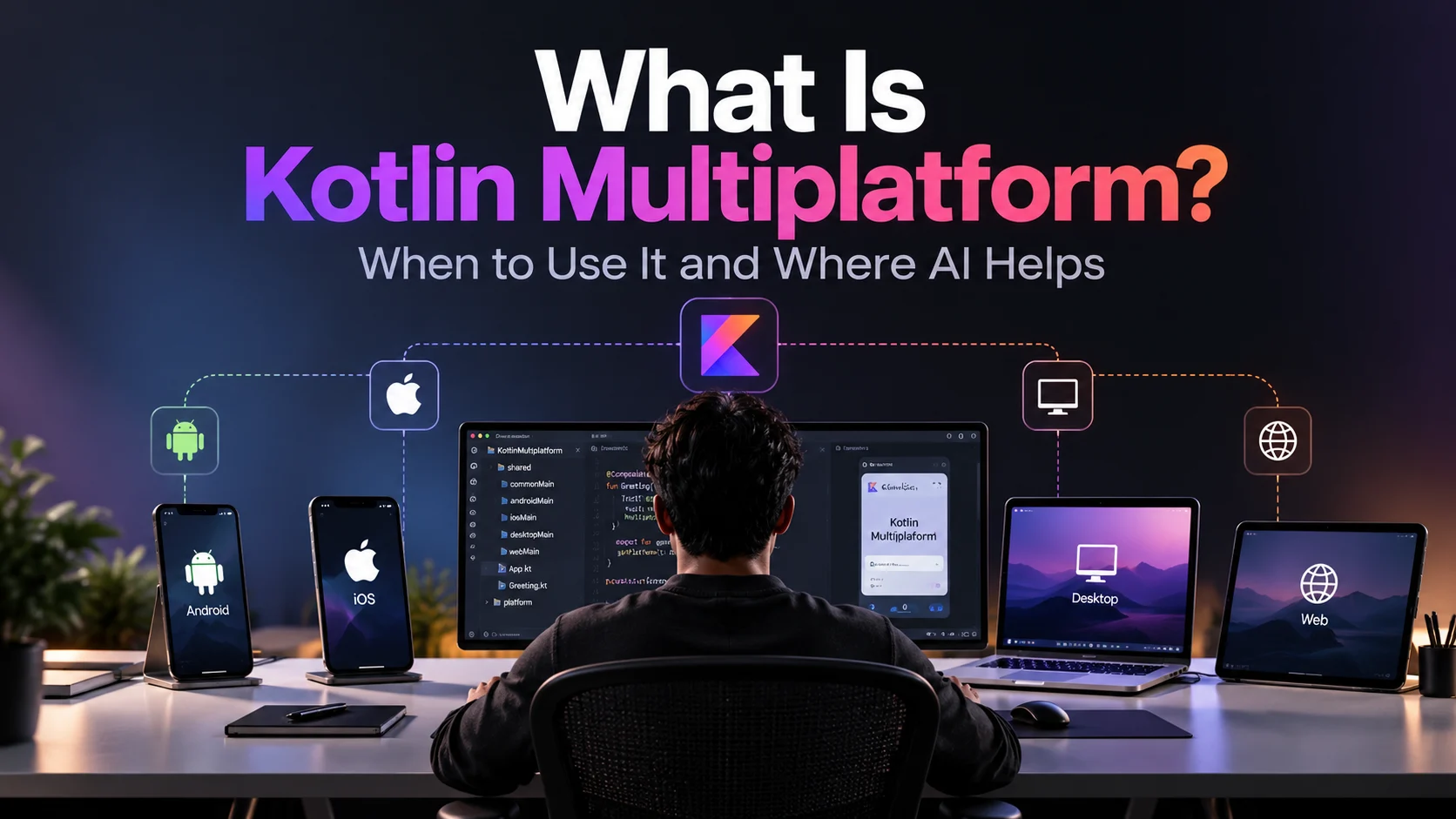
How Kotlin Multiplatform works, when it fits, and where AI helps
On a typical Tuesday, your product team is busy working on app updates. Your Android developer is building the logic that calculates discounts. At the same time, your iOS developer is building the same discount logic in a different language, because the two apps have slowly grown into separate codebases. This is one of the main challenges of maintaining two native apps.
Kotlin Multiplatform (KMP) offers a way to resolve this. It lets teams write code once and share it across platforms, so features that behave the same on both can use a single implementation, while the parts users actually interact with stay native on each platform. It is not a complete rewrite, and it is not a new framework for building user interfaces. Instead, it is a flexible approach to code sharing.
This guide explains what Kotlin Multiplatform is, what you can share with it, how mature it is today, and how to decide whether it suits your product. It should also help you ask better questions when you weigh product options with a mobile app development company.
Quick Summary
- Kotlin Multiplatform is a technology from JetBrains for sharing Kotlin code across Android, iOS, desktop, web and server.
- By default, it shares logic. Sharing the user interface is optional and is handled by a separate technology called Compose Multiplatform.
- Google supports KMP for sharing business logic between Android and iOS.
- It suits Android-first teams, logic-heavy products and existing native apps that need to evolve gradually.
- It may not be the best choice for quick prototypes, teams that work mostly in JavaScript, or products that need the same UI everywhere from day one.
- Artificial intelligence (AI) tools can speed up routine KMP tasks, but build configuration, native interoperability and security-related code still need expert human review.
Kotlin Multiplatform is an open-source technology from JetBrains. According to the official Kotlin documentation, it lets developers share code across platforms such as Android, iOS, desktop, web and server while keeping the benefits of native development. In other words, you get the advantages of code reuse without giving up native apps.
In Kotlin Multiplatform projects, teams decide what to share. One team might share only the data models and API client, while another shares the whole business logic layer, and a third might also share the UI. All of these are valid approaches, and a team can change how much it shares over time.
A typical first setup looks like this. A shared Kotlin module holds the API client and data models. The Android app, built with Jetpack Compose, calls that module directly. The iOS app, built with SwiftUI or UIKit, imports the same module as a framework and calls it like any other library.
How KMP Works
The shared code is compiled separately for each target, so it runs the way each native platform expects.
- Android: Kotlin compiles to JVM bytecode, exactly as it does in any Android app.
- iOS: Kotlin/Native compiles the shared code into a native framework, which your Swift or Objective-C code imports like any other framework.
- Desktop: the code runs on the JVM, and Kotlin Multiplatform also supports other native targets.
- Web: the code compiles to JavaScript through Kotlin/JS, which is Stable, or to WebAssembly through Kotlin/Wasm, which is currently in Beta.
Because the shared code is compiled for each platform, it integrates closely with native environments. Official Google and JetBrains documentation describes the performance as near-native or on par with native, but that is a general description, not a guarantee. Performance still depends on the implementation, the workload and how much work crosses the boundary between Kotlin and Swift. For that reason, benchmark your own app instead of assuming.
Where platforms genuinely differ, KMP uses expect and actual declarations. In the shared code, you declare what you expect to exist, and each platform provides its own actual implementation. As a result, the shared logic stays clean, while platform-specific work stays where it belongs.
Kotlin Multiplatform vs Compose Multiplatform
Kotlin Multiplatform and Compose Multiplatform serve different purposes, and the difference matters when you plan scope. KMP shares logic across platforms, whereas Compose Multiplatform shares UI code.
| Technology | What it shares |
| Kotlin Multiplatform (KMP) | Kotlin code across platforms, usually business logic |
| Compose Multiplatform (CMP) | UI code, built on Jetpack Compose, across Android, iOS, desktop and web |
In short, KMP is the foundation and Compose Multiplatform is an optional layer on top. Many production apps use Kotlin Multiplatform for years without ever adopting Compose Multiplatform.
One important note: Compose Multiplatform has its own release cycle, separate from Kotlin and Jetpack Compose. It also has to line up with the Kotlin Multiplatform Gradle plugin, Gradle, the Android Gradle Plugin and Xcode. JetBrains publishes a compatibility and versioning guide for the Compose side, and the separate Kotlin Multiplatform compatibility guide lists the Gradle, Android Gradle Plugin and Xcode ranges supported by each Kotlin version. Check both before you pick versions for a new project, and again before you upgrade.
What Can You Share, and What Stays Native?
In essence, it is up to you. That flexibility is the main reason many teams choose Kotlin Multiplatform. However, it also means you need a clear plan for what to share, instead of a vague intention to share everything.
Business Logic
This is where KMP has been strongest for the longest time. Typical shared pieces include:
- API calls and response parsing
- Data models and mappers
- Local database access
- Authentication and session management
- Validation, pricing, scoring and eligibility rules
- Caching and offline synchronization
These are the areas where a mismatch between platforms turns into real bugs. A digital payment app, for example, has many variants of the same rule, and each one must behave identically on Android and iOS. Maintaining two copies of that logic quickly becomes costly.
The tooling is also mature. For example, you can use Ktor for networking, kotlinx.serialization for JSON, kotlinx.coroutines for asynchronous work and SQLDelight for local databases. All of them are built for multiplatform use.
Shared UI With Compose Multiplatform
If you want to go further, Compose Multiplatform lets you write a screen once and run it on Android, iOS and desktop. JetBrains declared Compose Multiplatform for iOS stable with version 1.8.0 in May 2025. Compose Multiplatform is therefore Stable for Android, iOS and desktop, with desktop covering macOS, Windows and Linux. Minimum OS versions change between releases, so check the current compatibility documentation for the version you plan to use.
Web is at a different stage. Compose Multiplatform for web is based on Kotlin/Wasm and is currently in Beta, which means it is ready for early adopters but may still change. Kotlin/JS itself is Stable for sharing logic with the web, and JetBrains’ Compose HTML library covers JS-only UI work, though it is not designed for sharing UI across platforms.
Most teams do not share everything. A hybrid approach is common: use Compose Multiplatform for screens that are the same everywhere, such as settings, forms and account pages, and keep the screens that define the product’s feel in SwiftUI and Jetpack Compose. Embedding Compose Multiplatform screens inside a SwiftUI app makes this transition gradual.
What Usually Stays Native
Some things are best left alone:
- Platform-specific design touches, such as button styles, navigation patterns and gestures
- Deep hardware features, such as AR support and advanced camera pipelines
- App store configuration, signing and release processes
You will still need people who understand each platform. A team that treats KMP as a way to avoid learning iOS and Android app development usually runs into trouble. KMP reduces duplicated work, but it does not remove the need to understand each platform.
Where Kotlin Multiplatform Stands Today
A few years ago, “is KMP ready?” was a fair question. Today, the picture is much clearer.
- KMP was declared stable with Kotlin 1.9.20 in late 2023, which made the core technology and the Kotlin Multiplatform Gradle plugin Stable.
- Google’s Android Developers site lists KMP as officially supported for sharing business logic between Android and iOS, and describes it as stable and production-ready.
- Several Jetpack libraries, including Lifecycle, ViewModel, DataStore and Room, now support KMP, so Android teams can reuse patterns they already know. However, support differs by library and version.
- Compose Multiplatform for iOS is stable, and the whole UI framework now builds on the K2 compiler.
- JetBrains’ own case studies list Netflix, which shares logic across its studio apps, and Cash App, which moved from shared JavaScript to KMP in 2018, alongside McDonald’s, Philips and Autodesk. Duolingo and Bilibili also appear in the success stories on JetBrains’ KMP site.
Stable refers to the core technology. It does not mean every API, library or platform target is equally mature. The Android, iOS, desktop and server-side JVM targets are Stable, and so is Kotlin/JS, but Kotlin/Wasm is in Beta, and some individual APIs and libraries are still Experimental or Beta. Check the stability level of each dependency you plan to rely on.
In addition, the Kotlin Multiplatform ecosystem is younger than those of React Native and Flutter. That means fewer ready-made libraries, fewer tutorials and a smaller pool of developers with real KMP experience. This trade-off is worth weighing openly.
When Should You Use Kotlin Multiplatform?
There are a handful of situations where KMP is a good fit.
You Have an Android-First Development Team
This is a good fit because your developers are probably already writing Kotlin for the Android app, so the learning curve is gentle.
Your App Contains Heavy Business Logic
Finance, healthcare, logistics and similar industries often rely on rules that must behave consistently across platforms.
You Already Have Native Apps
For consumer products where retention depends on smooth, platform-correct interactions, native UI is usually the better choice.
You Want Native UI Quality on Both Platforms
For products that compete on feel, particularly consumer apps where retention depends on smooth, platform-correct interactions, native UI is usually the better choice. In that case, Kotlin Multiplatform removes the duplicated logic layer while the UI stays native.
You Need a Desktop App, Web Client or Backend
KMP can also support a desktop app, a web client or a Kotlin backend in addition to the two mobile platforms, so it is worth a look when your product grows beyond phones.
When Kotlin Multiplatform Is Not the Right Choice
A list of only positive points is not very helpful. In general, KMP is the wrong choice in these cases:
- A quick prototype is your priority. A framework that gives you one UI for both platforms will usually get a prototype to market faster.
- Your team works mostly in JavaScript or TypeScript. React Native fits that skill set better, and retraining takes time.
- When a pixel-identical UI across platform is essential. Flutter may be a better option.
- Nobody on your team knows iOS. Someone still has to handle Xcode, signing and debugging on the iOS side.
- The app is small and short-lived. Building a shared module has a cost that a simple app may never earn back.
There is also a technical caution. Kotlin and Swift talk to each other through an interop layer, and some Kotlin features, such as generics, Flows and suspend functions, do not always translate cleanly. As a result, teams often add helper tooling to make the shared code feel natural in Swift. JetBrains’ Swift export is meant to improve this, but it is still a pre-stable feature with documented limitations. Before you adopt it, review those limitations and check compatibility with your APIs and Kotlin version.
Kotlin Multiplatform vs Flutter vs React Native
Flutter and React Native are cross-platform frameworks that let you build for several platforms from one codebase, usually with a shared UI layer. Kotlin Multiplatform takes a different route. It shares code while still allowing native UI. For the wider picture, this breakdown of native vs cross-platform app development covers where each approach sits.
| Option | Fits best when |
| Kotlin Multiplatform | You want shared logic with native UI, or you are modernising existing Android and iOS apps step by step |
| Flutter | You want one codebase and one consistent UI across platforms, built quickly |
| React Native | Your team already works in JavaScript or TypeScript and wants to reuse that skill set |
Flutter and React Native mainly save you from writing the UI twice. KMP, by default, does not try to. Instead, it saves you from writing the logic twice and leaves the UI decision to you, with Compose Multiplatform available if you also want to share the UI.
As a result, there is no clear winner. The better question is which option fits your team’s existing skills and the way your product needs to feel. When the shortlist comes down to Flutter and React Native, a direct comparison of Flutter vs React Native will help you finish that decision.
How to Adopt Kotlin Multiplatform Without a Rewrite
Teams that succeed with Kotlin Multiplatform tend to start small and build confidence before expanding.
- Pick one low-risk module. A networking layer, a set of data models or a validation library works well. Avoid starting with something tightly tied to platform APIs.
- Set up the shared module and build pipeline. Agree on Kotlin and Gradle versions early. Each Kotlin release supports a specific range of Gradle, Android Gradle Plugin and Xcode versions, and the Kotlin Multiplatform compatibility guide lists them. Check it before choosing versions and again before upgrading any one of them, because mismatches are a common source of early frustration.
- Connect it to both apps. Android consumes it like any other module, while iOS consumes it as a framework. Consider how the generated API will look in Swift, because that is what your iOS developers will work with every day.
- Measure what changed. Track the duplicated code you removed, the bugs that no longer appear on only one platform, and how long it takes to ship a change to both.
- Expand only when it has proven itself. Move on to the next piece of logic, or try Compose Multiplatform on one or two simple screens, and decide based on the benefits and trade-offs you have seen.
This approach keeps the risk low. If the first module does not work out, very little has changed.
Team, Tooling and Cost: What to Plan For
KMP’s tools are free and open source, so the licence is not where the cost sits. The main cost is in people and setup.
- Skills. You need Kotlin developers who are comfortable with iOS, or iOS developers willing to work with a Kotlin module. Hiring for KMP specifically is harder than hiring for React Native.
- Tooling. Building for iOS still requires a Mac and Xcode. Android Studio and IntelliJ IDEA support KMP through the Kotlin Multiplatform IDE plugin, but iOS run configurations and Swift support depend on Apple tooling, so iOS work stays on a Mac.
- Testing. Shared code can be unit tested once and run on every platform. However, UI rendered through Compose Multiplatform on iOS can be harder to test with standard iOS testing tools, so plan for that if you share UI.
- Upkeep. Kotlin, Compose Multiplatform and Jetpack libraries release on separate schedules, so someone has to own upgrades and support for new Android versions.
The savings show up over time, when a feature that used to need two implementations needs only one. For a short project with a small feature set, they may never catch up with the setup effort. That is also why KMP belongs in the wider conversation about choosing a mobile app tech stack, not as a default answer.
Where AI Helps in a Kotlin Multiplatform Workflow
AI is useful in KMP work, but it helps in some places far more than others, so it is worth being specific.
JetBrains has built AI tooling around Kotlin, including Junie, its coding agent, and an AI assistant inside the IDE. The Kotlin documentation lists tasks these tools suit, such as generating and explaining code, writing tests, refactoring and reviewing changes. JetBrains’ own KMP starter guide also includes a section on using AI for KMP development, with advice to validate whatever the AI generates. That last point is the one to hold on to.
Where AI tends to save real time:
- Kotlin code generation: drafting data classes, repository interfaces, mappers and expect and actual declarations, such as an expect secure storage class with Android and iOS actual implementations that you then adapt to your project
- Swift or Java to Kotlin adaptation: moving a pricing or validation rule from an existing Swift or Java codebase into common Kotlin. Pasting the original and asking for a commonMain version is a sensible start, but check that the result does not depend on platform-only APIs, such as JVM classes or Apple Foundation types that are not available in common code
- Test generation: drafting a first set of commonTest cases for a shared module, including edge cases such as empty input, rounding and time zone handling, then running them on both Android and iOS targets
- Debugging: explaining an unfamiliar Gradle sync error, a Kotlin/Native linker message or a stack trace, and suggesting where to look next. Treat the answer as a lead to confirm, not a fix to paste in
- Finding a suitable multiplatform library for a job, instead of reading through listings by hand
Where it needs a careful human review:
- Version compatibility between Kotlin, Compose Multiplatform, the Android Gradle Plugin and Xcode, which changes often and which a model may answer from outdated information
- iOS interop, memory handling and threading, where an answer can look right and still fail on a device
- Anything related to payments, authentication or user data
AI-generated Kotlin can compile and still be wrong. A model might suggest a library that does not support your iOS target, use a JVM-only class in common code, or write code that behaves differently on iOS than on Android. Review it the way you would review a colleague’s pull request: build it for every target, run the tests on each platform, read the changes, and check library and version suggestions against the official documentation.
A good working principle is to let AI handle the routine work and have an engineer review anything that runs on a user’s device or touches sensitive data. The same principle applies to the broader topic of AI in mobile app development: it reduces the routine work, and human judgement decides what ships.
A Quick Checklist Before You Decide
If you are still on the fence, answer these questions honestly:
- Are there Kotlin developers on the team already?
- Is there business logic that must behave the same way on both Android and iOS?
- Do you already have native apps?
- Is a native-feeling UI a must, or is a consistent UI across platforms enough?
- Does someone on the team own iOS builds, signing and releases?
If most of your answers are yes, Kotlin Multiplatform deserves a serious pilot. If most are not, a different approach will probably serve you better.
Read Also: Improve Mobile App Performance with AI
Conclusion
Kotlin Multiplatform is a strong option when you want to stop duplicating business logic across native platforms without giving up native apps. It suits Android-first teams, logic-heavy products and existing apps that need to evolve gradually. It is less natural for fast prototypes and for teams without Kotlin or iOS experience.
The safest way to find out is a small, well-chosen pilot: one shared module, measured against the real cost of building the same thing twice.
If you are weighing KMP against Flutter, React Native or fully native development for your product, the team at CodeStore can help you assess the options against your goals and decide on the right approach.